<?xml version="1.0" encoding="utf-8"?><feed xmlns="http://www.w3.org/2005/Atom" ><generator uri="https://jekyllrb.com/" version="3.10.0">Jekyll</generator><link href="http://melbournemicropythonmeetup.github.io/feed.xml" rel="self" type="application/atom+xml" /><link href="http://melbournemicropythonmeetup.github.io/" rel="alternate" type="text/html" /><updated>2026-05-05T06:33:16+00:00</updated><id>http://melbournemicropythonmeetup.github.io/feed.xml</id><title type="html">Melbourne MicroPython Meetup</title><subtitle>A monthly meetup for MicroPython Enthusiasts</subtitle><entry><title type="html">April 2026 Meetup</title><link href="http://melbournemicropythonmeetup.github.io/April-2026-Meetup/" rel="alternate" type="text/html" title="April 2026 Meetup" /><published>2026-04-22T00:00:00+00:00</published><updated>2026-04-22T00:00:00+00:00</updated><id>http://melbournemicropythonmeetup.github.io/April-2026-Meetup</id><content type="html" xml:base="http://melbournemicropythonmeetup.github.io/April-2026-Meetup/"><![CDATA[<p><em>Damien</em> covers the recently-released MicroPython v1.28, <em>Matt</em> delivers the news roundup</p>

<h1 id="news-round-up">News Round-up</h1>

<h2 id="headlines">Headlines</h2>

<h3 id="micropython-v128">MicroPython v1.28</h3>

<p><img src="../images/micropythonlogo.png" alt="MicroPython Logo" /></p>

<p>Damien covered all the important details - but we experimented with <a href="https://melbournemicropythonmeetup.github.io/micropython-v1.28/">MicroPython
v1.28 Interactive Release
Notes</a> and I’d
love to get some feedback! Please check it out and let me know what you think.</p>

<hr />

<h3 id="another-world">Another World</h3>

<p><img src="../images/2026-04/another_world_start.jpg" alt="Another World" /></p>

<p>Eric Chahi’s groundbreaking 1991 game, now available on MicroPython!</p>

<p>This was a long-term goal for me, I’ve wanted to port the game engine for
Another World to MicroPython for a <em>long</em> time. The game is implemented as a
bytecode virtual machine and is pretty compact - and the power of 1990’s
cutting-edge hardware is now available in microcontrollers!</p>

<p>Using Claude to vibe-code this one was great fun, and seeing the intro sequence
render for the first time was pure nostalgia joy!</p>

<p>It’s not yet finished - rendering is a tad slow in places and sound is still a
WIP - but it’s playable on an ESP32.</p>

<p>You’ll need to get your hands on the game data but it’s on sale at
<a href="https://www.gog.com/en/game/another_world_20th_anniversary_edition">GOG</a> at the
moment for A$3. Give it a try!</p>

<p><a href="https://github.com/mattytrentini/micropython_another_world">micropython_another_world</a></p>

<hr />

<h2 id="matts-new-hardware">Matts New Hardware</h2>

<h3 id="pocketpd">PocketPD</h3>

<p><img src="../images/2026-04/pocketpd.jpg" alt="PocketPD" /></p>

<p>We briefly covered Centy Labs’ Crowd Supply project
<a href="https://www.crowdsupply.com/centylab/pocketpd">PocketPD</a> some time ago; it’s a
DC supply based around the concept of using the Programmable Power Supply (PPS)
extension of the USB Power Delivery (PD) standard. PPS allows a host to
negotiate 3.3-21V in 20 mV steps, and max current specified in 50 mA steps up to
100W, depending on the source capabilities. PocketPD allows you to plug in a
modern laptop power supply to provide the source for what’s effectively a DC
bench supply.</p>

<p>The PocketPD is built around an RP2040 and an AP33772 (USB PD/PPS negotiation)
and an INA226 for power measurement. There’s also a rotary dial, a couple of
buttons and a display for the UI. And so, while the original firmware is
perfectly fine, we figured it wouldn’t be too hard to replace it with
MicroPython…</p>

<p>Let me introduce you to
<a href="https://github.com/mattytrentini/micropython_pocketpd">micropython_pocketpd</a>!</p>

<p>As well as providing similar features to the original firmware, there’s also a
simulator built-in which allows experimentation against the unix port without
hardware connected. It includes a websocket renderer of the display; so the UI
experiments are easy.</p>

<hr />

<h3 id="stm32-nucleo-c5a3zg">STM32 NUCLEO-C5A3ZG</h3>

<p><img src="../images/2026-04/nucleo-c5a3zg.jpg" alt="NUCLEO-C5A3ZG" /></p>

<p>We covered the STM32C5 <a href="https://melbournemicropythonmeetup.github.io/March-2026-Meetup/">last
month</a> and I
managed to get my hands on the ‘biggest’ Nucleo in this family. The
<a href="https://www.st.com/en/evaluation-tools/nucleo-c5a3zg.html">NUCLEO-C5A3ZG</a> has
1MB flash and 256KB RAM as well as Ethernet.</p>

<p>Updating MicroPython to support the C5 has been challenging; ST have overhauled
their HAL, starting with the C5, and quite a few things have changed. But it’s
close…</p>

<hr />

<h3 id="stm32-nucleo-h5e5zj">STM32 NUCLEO-H5E5ZJ</h3>

<p><img src="../images/2026-04/nucleo-h5e5zj.jpg" alt="NUCLEO-H5E5ZJ" /></p>

<p>Although the H5 family has been around for a couple of years now, the <a href="https://www.st.com/en/microcontrollers-microprocessors/stm32h5e5-5f5.html">H5E and
H5F
range</a>
is new and updates some features.</p>

<p>Upgrades to 1.5MB RAM and up to 4MB flash are generous but the
<a href="https://wiki.st.com/stm32mcu/wiki/Getting_started_with_Programmable_Logic_ArraY">PLAY</a>
(Programmable Logic Array) peripheral is most interesting to me. It brings
independent, configurable hardware to STs micros and, though they’re a different
design, it’ll be interesting to see how it compares to the RP2 PIOs.</p>

<hr />

<h3 id="m5nanoh2">M5NanoH2</h3>

<p><img src="../images/2026-04/m5nanoh2.webp" alt="M5NanoH2" /></p>

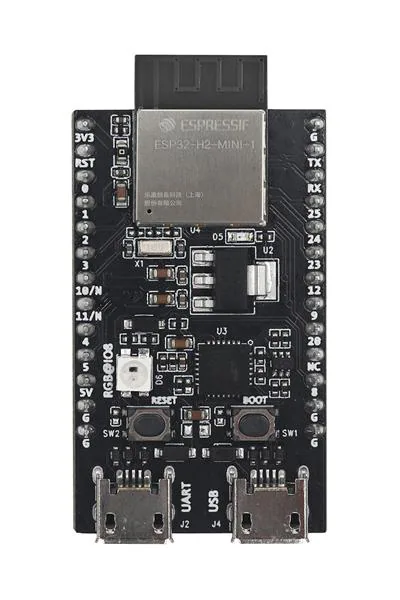
<p>This <em>tiny</em>
<a href="https://shop.m5stack.com/products/m5stack-nanoh2-dev-kit-esp32-h2">M5NanoH2</a>
arrived yesterday. The ESP32-H2 that powers it is Espressif’s low-power
BLE/Thread/Matter/Zigbee micro-of-choice.</p>

<hr />

<h2 id="hardware-news">Hardware News</h2>

<h3 id="weact-studio-stm32u585">WeAct Studio STM32U585</h3>

<p><img src="../images/2026-04/weact-studio-stm32u585.jpg" alt="WeAct Studio STM32U585" /></p>

<p>CNX recently covered the <a href="https://www.cnx-software.com/2026/04/08/weact-stm32u585ciu6-core-mini-stm32u5-board-supported-by-micropython-v1-28/">WeAct Studio STM32U585 Core
Mini</a>. The STM32U5 is an excellent low-power micro and this particular board is <em>very</em> affordable. And it has MicroPython support (since v1.28).</p>

<ul>
  <li>STM32U585CIU6
    <ul>
      <li>Cortex M33 @ 160MHz</li>
      <li>768KB RAM, 2MB flash</li>
    </ul>
  </li>
  <li>External flash</li>
  <li>USB-C</li>
  <li>2x20 pins, most are GPIO</li>
</ul>

<p><strong>US$8</strong></p>

<hr />

<h3 id="maker-go-stm32u575">Maker Go STM32U575</h3>

<p><img src="../images/2026-04/makergo_u5.png" alt="Maker Go STM32U575" /></p>

<p>Seems like the U5 is flavour of the month…<a href="https://www.cnx-software.com/2026/04/11/15-stm32u575-development-board-features-fpc-display-connector-microsd-card-slot-two-48-pin-gpio-headers/">CNX also
covered</a>
the Maker Go STM32U575. Breaking out more pins, adding external flash, a microSD
socket and an FPC port to connect a display, the Maker Go is slightly more
expensive and large but a little more feature-packed.</p>

<p>No <em>specific</em> MicroPython board definition…yet.</p>

<ul>
  <li>STM32U575VGT6
    <ul>
      <li>Cortex M33 @ 160MHz</li>
      <li>768KB RAM, 1MB Flash</li>
    </ul>
  </li>
  <li>8MB external flash</li>
  <li>microSD</li>
  <li>2x48 pins broken out</li>
  <li>FPC port for a display</li>
</ul>

<p><strong>US$15</strong></p>

<hr />

<h3 id="m5stamp-esp32p4-module">M5Stamp ESP32P4 Module</h3>

<p><img src="../images/2026-04/m5stamp_esp32p4.webp" alt="M5Stamp ESP32P4 Module" /></p>

<p><img src="../images/2026-04/stamp-addon-c6forp4.webp" alt="M5Stamp Add-on C6 for P4 Module" /></p>

<p>M5Stack released the <a href="https://shop.m5stack.com/products/m5stamp-esp32p4-module">M5Stamp
ESP32P4</a> and the
<a href="https://shop.m5stack.com/products/stamp-addon-c6-for-p4-module">M5Stamp Add-on C6 for
P4</a>. This
<em>stamp</em> is a small, powerful, system-on-a-board and it’s castellated to make it
simple to solder to your own PCBs. Many pins are broken out, including MIPI
ports (CSI and DSI), and there is 16MB flash and 32MB PSRAM.</p>

<p>There’s also the add-on which is a small plug-in board that sits over the top,
adds an ESP32-C6 and provides Wifi and BLE to the stamp.</p>

<p>It’s a <em>lot</em> of hardware for the size and cost.</p>

<p>M5Stamp ESP32P4 <strong>US$13</strong>
M5Stamp Add-on C6 for P4 <strong>US$7</strong></p>

<hr />

<h3 id="viewe-esp32-p4-pi-development-board">VIEWE ESP32-P4-Pi Development Board</h3>

<h3 id="pocketmage">PocketMage</h3>

<p><img src="../images/2026-04/pocketmage.jpg" alt="PocketMage" /></p>

<p>There’s a new Crowd Supply project:
<a href="https://www.crowdsupply.com/talisman-design/pocketmage">PocketMage</a>. It’s a
palm-top device with a small tactile keyboard, an e-paper display and a smaller
OLED, it’s designed to be a ‘personal digital assistant’. Powered by an
ESP32-S3, it looks like it could be a useful distraction-free device!</p>

<p>No pricing yet.</p>

<hr />

<h2 id="other-news">Other news</h2>

<h3 id="sam-ported-to-micropython">SAM ported to MicroPython</h3>

<p><img src="../images/2026-04/kmac_sam.jpg" alt="SAM" /></p>

<p><a href="https://www.kevsrobots.com/">Kevin McAleer</a> recently ported the old <em>Software
Automatic Mouth</em> to MicroPython. SAM was originally written for the Commodore 64
is a well-known text-to-speech algorithm and library. Kevin’s implementation was
designed to take advantage of the PIO peripheral of the RP2 but falls back to a
SW renderer:</p>

<p><a href="https://github.com/kevinmcaleer/sam">kevinmcaleer/sam</a></p>

<p>Although the output quality has long been surpassed using modern techniques (and
gobs of compute), SAM was quite sophisticated back in the day - and it works
quite well on microcontrollers!</p>

<p>Even better, he has a brilliant video that explains the concepts, challenges and
implementation:</p>

<iframe width="560" height="315" src="https://www.youtube.com/embed/S0djkk-CtBY?si=MjBre1ENhyPAvjyo" title="YouTube video player" frameborder="0" allow="accelerometer; autoplay; clipboard-write; encrypted-media; gyroscope; picture-in-picture; web-share" referrerpolicy="strict-origin-when-cross-origin" allowfullscreen=""></iframe>

<hr />

<h3 id="claude-meets-micropython">Claude Meets MicroPython</h3>

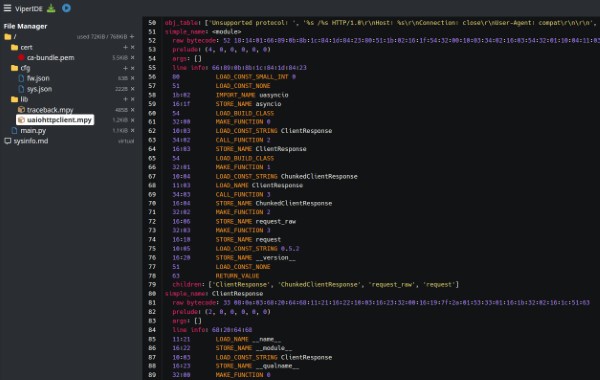
<p><img src="../images/2026-04/claude_viperide.png" alt="Claude Meets MicroPython" /></p>

<p>Andrew Leech has a <em>fantastic</em> write-up on how to connect Claude to the ViperIDE
via an MCP Server:</p>

<p><a href="https://notes.alelec.net/posts/claude-meets-micropython/">Claude Meets MicroPython: Hands-On with the ViperIDE
Extension</a></p>

<p>This allows you to ask Claude to create MicroPython code and update a device
directly. Very neat!</p>

<hr />

<h2 id="quick-bytes">Quick Bytes</h2>

<h3 id="micropython-usunfish">micropython-usunfish</h3>

<p>We covered the usunfish chess port <a href="https://melbournemicropythonmeetup.github.io/March-2026-Meetup/">last month</a> but it’s worth noting that Peter Hinch has already integrated it into his <a href="https://github.com/peterhinch/micropython-touch/blob/master/optional/chess/README.md">micropython-touch chess demo</a>.</p>

<hr />

<h3 id="webserial-has-landed-in-firefox-nightly">WebSerial has landed in Firefox Nightly</h3>

<p><img src="../images/2026-04/webserial_firefox_nightly.png" alt="WebSerial in Firefox Nightly" /></p>

<p>baloob, in a <a href="https://fosstodon.org/@balloob/116398481380578311">Mastodon Post</a>
shared that Firefox Nightly recently added the WebSerial API. This opens the
possibility that Firefox might soon be able to make connections to devices over
the serial port. 🤞</p>

<p>(via <a href="https://bsky.app/profile/andypiper.org/post/3mjfpismfui22">Andy Piper</a>)</p>

<p>Note that the <a href="https://bugzilla.mozilla.org/show_bug.cgi?id=926940">WebSerial
ticket</a> in Bugzilla has
been open for <em>12 years</em>.</p>

<h2 id="final-thoughts">Final Thoughts</h2>

<h3 id="robot-golf">Robot Golf</h3>

<iframe width="560" height="315" src="https://www.youtube.com/embed/2OfjZ3ORJfc?si=CbPJldg80s1k5Tx9" title="YouTube video player" frameborder="0" allow="accelerometer; autoplay; clipboard-write; encrypted-media; gyroscope; picture-in-picture; web-share" referrerpolicy="strict-origin-when-cross-origin" allowfullscreen=""></iframe>

<hr />

<h3 id="air-powered-segment-display">Air Powered Segment Display</h3>

<iframe width="560" height="315" src="https://www.youtube.com/embed/E1BLGpE5zH0?si=FEFWA_rj1H8__z_c" title="YouTube video player" frameborder="0" allow="accelerometer; autoplay; clipboard-write; encrypted-media; gyroscope; picture-in-picture; web-share" referrerpolicy="strict-origin-when-cross-origin" allowfullscreen=""></iframe>

<hr />

<h3 id="midjourney-fun">Midjourney fun</h3>

<p><img src="../images/2026-03/midjourney.png" alt="Micropythoning" /></p>]]></content><author><name></name></author><summary type="html"><![CDATA[Damien covers the recently-released MicroPython v1.28, Matt delivers the news roundup]]></summary></entry><entry><title type="html">MicroPython v1.28 Released</title><link href="http://melbournemicropythonmeetup.github.io/MicroPython-v1.28-Released/" rel="alternate" type="text/html" title="MicroPython v1.28 Released" /><published>2026-04-19T00:00:00+00:00</published><updated>2026-04-19T00:00:00+00:00</updated><id>http://melbournemicropythonmeetup.github.io/MicroPython-v1.28-Released</id><content type="html" xml:base="http://melbournemicropythonmeetup.github.io/MicroPython-v1.28-Released/"><![CDATA[<p>MicroPython v1.28 landed on April 6, 2026. Highlights:</p>

<ul>
  <li><code class="language-plaintext highlighter-rouge">machine.PWM</code> now available on <strong>stm32</strong> and <strong>alif</strong> — completing PWM support across all Tier 1 and Tier 2 microcontroller-based ports</li>
  <li>New standardized <code class="language-plaintext highlighter-rouge">machine.CAN</code> API, with stm32 as the first implementation (bxCAN and FD-CAN peripherals)</li>
  <li><a href="https://peps.python.org/pep-0750/">PEP 750 template strings (t-strings)</a> — a new string literal type that keeps interpolation components as separate objects within a <code class="language-plaintext highlighter-rouge">Template</code></li>
  <li>The <code class="language-plaintext highlighter-rouge">weakref</code> module with <code class="language-plaintext highlighter-rouge">weakref.ref</code> and <code class="language-plaintext highlighter-rouge">weakref.finalize</code> classes</li>
  <li>11 new boards across esp32, mimxrt, rp2, and stm32</li>
</ul>

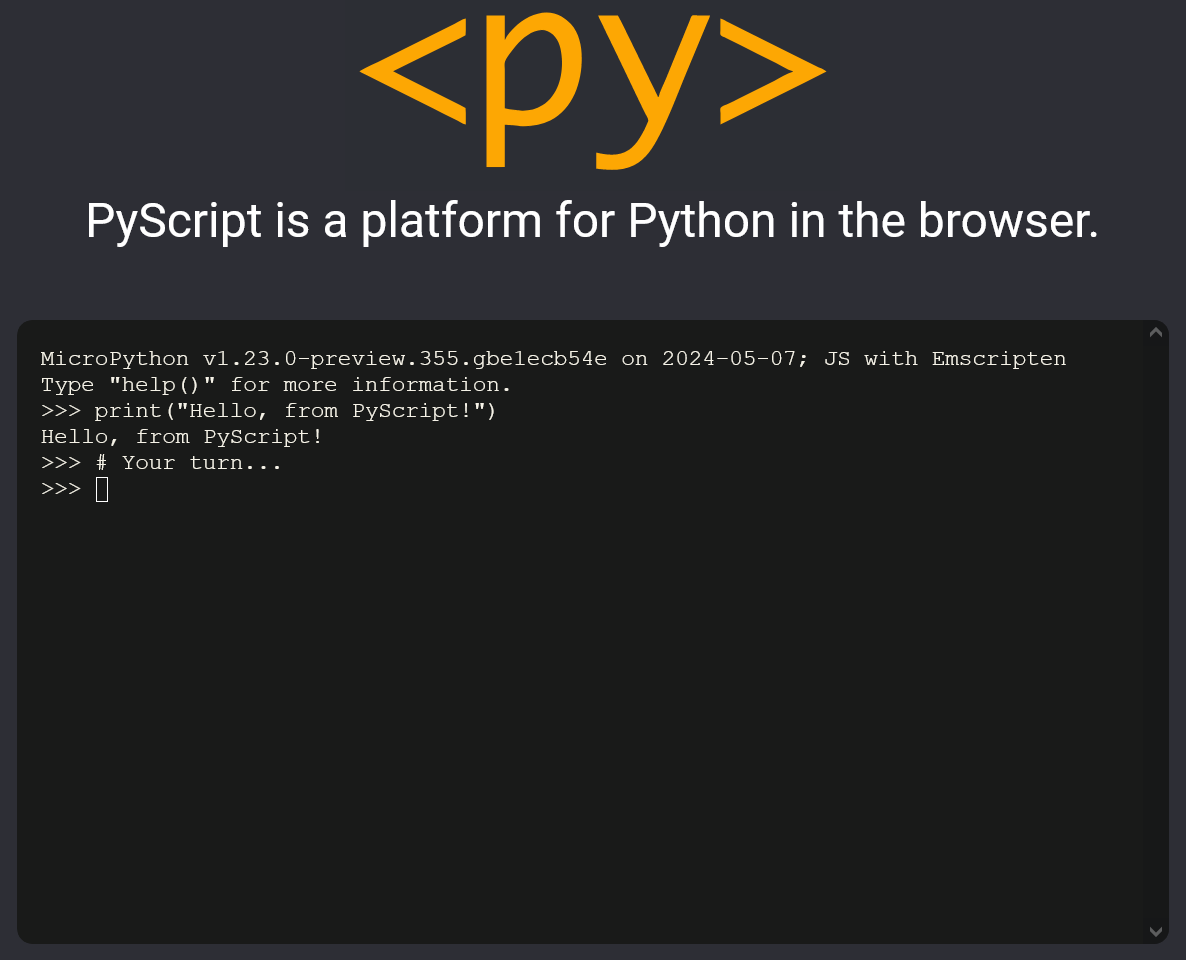
<p>We’ve put together an <a href="/micropython-v1.28/">interactive release notes page</a> that runs real MicroPython in your browser via <a href="https://pyscript.net/">PyScript</a>. Try editing and executing the t-string and weakref examples live.</p>

<p>For the full list of changes, see the <a href="https://github.com/micropython/micropython/releases/tag/v1.28.0">v1.28.0 release on GitHub</a>.</p>]]></content><author><name></name></author><summary type="html"><![CDATA[MicroPython v1.28 landed on April 6, 2026. Highlights:]]></summary></entry><entry><title type="html">March 2026 Meetup</title><link href="http://melbournemicropythonmeetup.github.io/March-2026-Meetup/" rel="alternate" type="text/html" title="March 2026 Meetup" /><published>2026-03-25T00:00:00+00:00</published><updated>2026-03-25T00:00:00+00:00</updated><id>http://melbournemicropythonmeetup.github.io/March-2026-Meetup</id><content type="html" xml:base="http://melbournemicropythonmeetup.github.io/March-2026-Meetup/"><![CDATA[<p><em>Matt</em> delivers the news roundup, Moonbench discusses their
<a href="https://github.com/moonbench/catode32?utm_source=luma">catode32</a> project</p>

<h1 id="news-round-up">News Round-up</h1>

<h2 id="headlines">Headlines</h2>

<h3 id="micropython-v128">MicroPython v1.28</h3>

<p><img src="../images/micropythonlogo.png" alt="MicroPython Logo" /></p>

<p>MicroPython v1.28 is nearing release. Some of the improvements:</p>

<ul>
  <li><code class="language-plaintext highlighter-rouge">machine.CAN</code> low-level driver added, stm32 to start with</li>
  <li><code class="language-plaintext highlighter-rouge">machine.PWM</code> for stm32</li>
  <li>t-strings added</li>
  <li><code class="language-plaintext highlighter-rouge">machine.Counter</code> and <code class="language-plaintext highlighter-rouge">machine.Encoder</code> added to mimxrt (joins ESP32)</li>
</ul>

<p>Check out <a href="https://github.com/micropython/micropython/milestone/12">Milestone #12</a> for more!</p>

<hr />

<h3 id="pycon-au-2026">PyCon AU 2026</h3>

<p><img src="../images/logos/pyconau.png" alt="PyCon AU" /></p>

<p><a href="https://2026.pycon.org.au/">PyCon AU 2026</a> is in Brisbane, August 26-30.</p>

<p>If you’re thinking of attending, the <a href="https://2026.pycon.org.au/cfp/">Call for
Proposals</a> ends this week on the 29th
<a href="https://www.timeanddate.com/time/zones/aoe">AOE</a>.</p>

<hr />

<h3 id="housekeeping-luma">Housekeeping: Luma</h3>

<p><img src="../images/2026-01/luma.jpg" alt="Luma" /></p>

<p>Some folks have mentioned they haven’t received notifications for upcoming
meetups. Now that we’re using Luma you should subscribe to the ‘overall’
MicroPython Calendar:</p>

<p><a href="https://luma.com/micropython">https://luma.com/micropython</a></p>

<p>You’ll then get an email whenever a new meetup is scheduled and, I <em>think</em>, you’ll
get a reminder close to each event.</p>

<p>Note that each meetup <em>also</em> gets a unique page/URL.</p>

<p>I’ve noticed fewer people RSVP’ing to each event since moving to Luma; if you
could RSVP that would be really helpful! It’s hard to know if I should be
‘advertising’ it more widely - but at least having a vague idea of how many
people are coming gives me an idea about attendance.</p>

<p>Unfortunately (with meetup and Luma) it’s not possible to set up a recurring
event with the ‘xth Wednesday of the month’ rule.</p>

<p>Thanks!</p>

<hr />

<h2 id="matts-new-hardware">Matts New Hardware</h2>

<h3 id="m5-stack-sticks3">M5 Stack StickS3</h3>

<p>(Covered in the <a href="https://melbournemicropythonmeetup.github.io/January-2026-Meetup/">January
2026</a>
meetup.)</p>

<p><img src="../images/2026-01/m5sticks3.png" alt="M5Stack M5StickS3" /></p>

<p>ESP32-S3, 8MB PSRAM, 8MB Flash, 1.14” 135x240 LCD display (ST7789P3).</p>

<p>Mic &amp; speaker (I2S), 6-axis IMU, IR transmitter &amp; receiver, 250mAh battery</p>

<hr />

<h3 id="openmv-ae3">OpenMV AE3</h3>

<p>(First covered in <a href="https://melbournemicropythonmeetup.github.io/March-2025-Meetup/">March 2025</a>.)</p>

<p><img src="../images/2025-03/openmv_kickstarter_650.webp" alt="OpenMV Kickstarter" /></p>

<p>An aboslute powerhouse in a <em>tiny</em> package. My first Alif microcontroller.</p>

<hr />

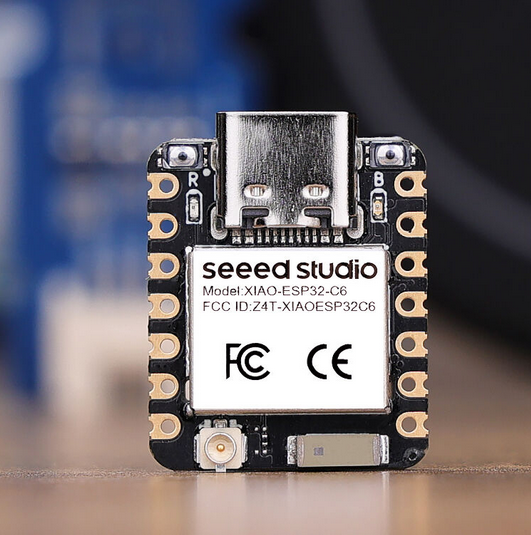
<h3 id="seeed-xiao-esp32c6">Seeed XIAO ESP32C6</h3>

<p>(<a href="https://melbournemicropythonmeetup.github.io/May-2024-Meetup/">May 2024</a>.)</p>

<p><img src="../images/2024-05/seeedxiaoc6.png" alt="Seeed Studio XIAO ESP32C6" /></p>

<p>ESP32-C6, 4MB Flash, on-board &amp; external antenna.</p>

<hr />

<h2 id="hardware-news">Hardware News</h2>

<h3 id="stmicro-announces-stm32c5-family">STMicro Announces STM32C5 family</h3>

<p><img src="../images/2026-03/stm32c5.jpg" alt="STM32C5" /></p>

<p><a href="https://newsroom.st.com/media-center/press-item.html/p4754.html">STMicro announces STM32C5 family</a></p>

<p><a href="https://www.cnx-software.com/2026/03/09/stmicro-stm32c5-entry-level-144-mhz-cortex-m33-mcu-features-up-to-1mb-flash-256kb-sram-ethernet-can-bus/">CNX: STMicro STM32C5</a></p>

<p>STMicro launched their latest microcontroller family…and I think they’ll sell
these by the bucketload.</p>

<p>They’re positioned as the ‘entry level’ micro but are surprisingly powerful and
<em>very</em> affordable.</p>

<p>Some highlights:</p>

<ul>
  <li>Cortex M33 @ 144MHz</li>
  <li>Up to 1MB flash (at least 128KB)</li>
  <li>Up to 256KB RAM (at least 64KB)</li>
  <li>Rich peripherals: OctoSPI, up to 118x IO, USB, Ethernet, CAN, I2S, I3C,
ADC/DAC, more</li>
  <li>11 different packages: 3x3mm -&gt; 14x14mm</li>
  <li>Wide operating temperature: -40°C to +125°C</li>
</ul>

<p>Pricing starts at US$0.64 in quantity.</p>

<p>With those features, it’s like they designed the family to target MicroPython!</p>

<h3 id="m5stack-unit-poe-with-esp32-p4">M5Stack Unit PoE with ESP32-P4</h3>

<p><img src="../images/2026-03/m5stackp4poe.png" alt="M5Stack ESP32-P4 PoE" /></p>

<p>The new <a href="https://shop.m5stack.com/products/unit-poe-with-esp32-p4">Unit PoE with ESP32-P4</a> is a compact little beast! This ESP32-P4-powered thumb-sized device adds PoE to the mix:</p>

<ul>
  <li>ESP32-P4, 16MB flash, 32MB PSRAM</li>
  <li>24 pin FPC breakouts for MIPI DSI and CSI</li>
  <li>10/100M PoE Ethernet</li>
  <li>2x USB-C</li>
  <li>Compact: 65x33x21mm</li>
</ul>

<p><strong>US$21.50</strong></p>

<hr />

<h3 id="seeed-studio-reterminal-d1001">Seeed Studio reTerminal D1001</h3>

<p><img src="../images/2026-03/reterminald1001.jpg" alt="Seeed Studio reTerminal D1001" /></p>

<p>Seeed Studio have expanded their reTerminal range with the
<a href="https://www.seeedstudio.com/reTerminal-D1001-p-6729.html">D1001</a>. If you’re
looking for a decent microcontroller-powered display this might be it.</p>

<ul>
  <li>ESP32-P4, 32MB flash, 32MB PSRAM</li>
  <li>8” 1280x800 cap touch display</li>
  <li>2MP (1600x1200) camera</li>
  <li>ESP32-C6 for wifi/ble</li>
  <li>Audio stack: dual mic and adc output</li>
  <li>2500mAh battery</li>
  <li>RTC, 6-axis IMU</li>
</ul>

<p>Also, Hackster.io: <a href="https://www.hackster.io/news/seeed-studio-targets-next-gen-hmi-with-the-espressif-esp32-p4-powered-reterminal-d1001-cd9cf0005a86">Seeed Studio Targets Next-Gen HMI with the Espressif ESP32-P4-Powered reTerminal D1001</a></p>

<p><strong>US$85</strong></p>

<hr />

<h3 id="dabao">Dabao</h3>

<p><img src="../images/2026-02/dabao.png" alt="Dabao" /></p>

<p>The Dabao was discussed <a href="https://melbournemicropythonmeetup.github.io/February-2026-Meetup/">last
month</a>, but
there’s an <em>excellent</em> article by Bunnie about one of the more unique features
of the Bao chip: <a href="https://www.bunniestudios.com/blog/2026/bio-the-bao-i-o-coprocessor/">BIO: The Bao I/O
Coprocessor</a></p>

<p>It’s easy to imagine a MicroPython BIO assembler, similar to that implemented
for the Raspberry Pi RP2 PIO module.</p>

<hr />

<h3 id="inkplate-13spectra">Inkplate 13SPECTRA</h3>

<p><img src="../images/2026-02/inkplate-13spectra-sw-platforms.jpg" alt="Inkplate 13SPECTRA" /></p>

<p><a href="https://melbournemicropythonmeetup.github.io/February-2026-Meetup/">Last month</a>
we covered the Inkplate 13SPECTRA, a <em>beautiful</em> six-colour 13” ePaper display.</p>

<p><a href="https://soldered.com/">Soldered</a> recently published their <a href="https://www.crowdsupply.com/soldered/inkplate-13spectra/updates/week-three-status-report">Week Three
Status</a>
that includes update to the MicroPython library but did mention “because
MicroPython is an interpreted language and not very low-level friendly, decoding
and displaying a full 1600x1200 image file <em>can take up to a minute</em>.”</p>

<p>Anyone want to prove them wrong?</p>

<p>(Kudos to Soldered for releasing the MicroPython library! But perf can be improved!)</p>

<hr />

<h3 id="pinetime-pro-watch">PineTime Pro Watch</h3>

<p><img src="../images/2026-03/pinetimepro.jpg" alt="PineTime Pro" /></p>

<p><a href="https://pine64.org/2026/03/24/march_2026_fosdem">Pine64’s March Update</a>
announced that the <a href="https://pine64.org/2026/03/24/march_2026_fosdem">PineTime Pro was in
development</a>.</p>

<p>We first covered the original PineTime Watch in <a href="https://melbournemicropythonmeetup.github.io/September-2019-Meetup/">September
2019</a>!</p>

<p>Upgrades include:</p>

<ul>
  <li>AMOLED display</li>
  <li>GPS</li>
  <li>A custom chip (??)</li>
  <li>A digital crown which also features an extra button</li>
  <li>A blood oxygen sensor</li>
  <li>Power management improvements</li>
</ul>

<p>“More information to come!”</p>

<hr />

<h2 id="other-news">Other news</h2>

<h3 id="amiga-port">Amiga port</h3>

<p><img src="../images/2026-03/amiga.png" alt="Amiga" /></p>

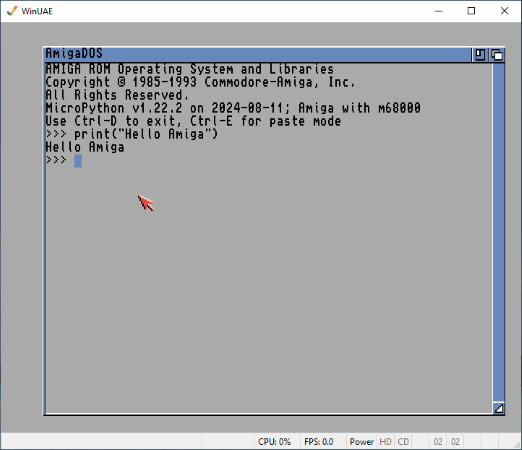
<p>Fabrice - with LLM assistance - has built a MicroPython port for the Amiga
(Motorola 68K):
<a href="https://github.com/OoZe1911/micropython-amiga-port">micropython-amiga-port</a>. It
looks remarkably complete!</p>

<p>via <a href="https://www.amiga-news.de/en/news/AN-2026-03-00087-EN.html">Amiga News.de</a>.</p>

<p>This isn’t the first Amiga port we’ve come across, we covered
<a href="https://github.com/jyoberle/micropython-amiga">micropython-amiga</a> back in
<a href="https://melbournemicropythonmeetup.github.io/August-2024-Meetup/">August 2024</a></p>

<hr />
<h3 id="pybricks---now-with-lego-vision">PyBricks - now with ‘LEGO Vision’</h3>

<p><img src="../images/2026-03/pybricks.png" alt="PyBricks" /></p>

<p><a href="https://fosstodon.org/@laurensvalk/116279090476777981">Laurens Valk teases a new feature for
PyBricks</a>; Vision!</p>

<p>Use a smartphone to process images in realtime and communicate details to a
PyBricks hub. The current example uses colour tracking so a robot can follow a
coloured ball - but Laurens mentioned “…there are more demos on the way”.</p>

<hr />

<h3 id="agentic-test-bench">Agentic Test Bench</h3>

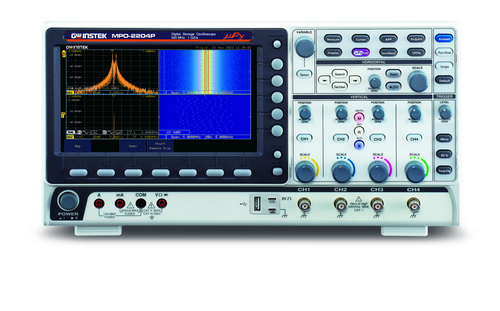
<p>Provide Claude with the ability (via
<a href="https://github.com/Netlist-Studio/scope-mcp">scope-mcp</a>) to communicate with
your (admittedly pricey) oscilloscope and then have your agent verify that I2C
timing is correct!</p>

<p>Uses MicroPython to generate the I2C signals, of course.</p>

<iframe width="560" height="315" src="https://www.youtube.com/embed/9oMwjWW3wsg?si=5ux7fh1W9TYu4rXt" title="YouTube video player" frameborder="0" allow="accelerometer; autoplay; clipboard-write; encrypted-media; gyroscope; picture-in-picture; web-share" referrerpolicy="strict-origin-when-cross-origin" allowfullscreen=""></iframe>

<hr />

<h3 id="micropython-epaper-weather-station">MicroPython ePaper Weather Station</h3>

<p><img src="../images/2026-03/weather_station.jpg" alt="ePaper Weather Station" /></p>

<p>Frederik Andersen seems to have started the
<a href="https://github.com/frederik-andersen/micropython-ePaperWeatherStation">micropython-ePaperWeatherStation</a>
project but Daniel Kharlamov appears to have <a href="https://github.com/Damov/micropython-ePaperWeatherStation">updated it
recently</a>…in any
case, it’s a nice looking ePaper Weather Station!</p>

<hr />

<h3 id="micropython-usunfish">micropython-usunfish</h3>

<p><img src="../images/2026-03/sunfish.png" alt="Sunfish" /></p>

<p><a href="https://github.com/thomasahle/sunfish">Sunfish</a> is a popular Chess engine known
for it’s power, particularly given it’s simple implementation (131 LOC!).
fizban99 has published a MicroPython fork of Sunfish:
<a href="https://github.com/fizban99/micropython-usunfish">microptyhon-usunfish</a>.</p>

<p>It appears to have been modified carefully, with memory use being a prime
consideration. The changes have been well documented. GPLv3.</p>

<p>Just need to add a graphical UI - and perhaps a touchscreen - and you’ll have
yourself a chess game that might not beat Magnus Carlsen but will challenge most
players! (<a href="https://github.com/fizban99/micropython-usunfish/issues/1">Peter Hinch may already be on the
case</a>!)</p>

<p>[Note that there was <a href="https://github.com/jacklinquan/micropython-sunfish">another MicroPython port of
Sunfish</a> a few years ago by
Quan Lin.]</p>

<hr />

<h3 id="planet-innovation-open-source-efforts">Planet Innovation open-source efforts</h3>

<p><img src="../images/logos/planet_innovation.png" alt="Planet Innovation" /></p>

<p>Planet Innovation recently open-sourced
<a href="https://github.com/PlanetInnovation/micropython-mock">micropython-mock</a> which
provides a subset of the features <code class="language-plaintext highlighter-rouge">unittest.mock.Mock</code>:</p>

<div class="language-python highlighter-rouge"><div class="highlight"><pre class="highlight"><code><span class="kn">from</span> <span class="nn">micropython_mock</span> <span class="kn">import</span> <span class="n">Mock</span>

<span class="c1"># Create a mock object
</span><span class="n">mock_obj</span> <span class="o">=</span> <span class="n">Mock</span><span class="p">()</span>

<span class="c1"># Use the mock
</span><span class="n">mock_obj</span><span class="p">.</span><span class="n">some_method</span><span class="p">(</span><span class="s">"arg1"</span><span class="p">,</span> <span class="n">kwarg</span><span class="o">=</span><span class="s">"value"</span><span class="p">)</span>
<span class="n">mock_obj</span><span class="p">.</span><span class="n">another_method</span><span class="p">()</span>

<span class="c1"># Check calls
</span><span class="k">assert</span> <span class="n">mock_obj</span><span class="p">.</span><span class="n">some_method</span><span class="p">.</span><span class="n">called</span>
<span class="k">assert</span> <span class="n">mock_obj</span><span class="p">.</span><span class="n">some_method</span><span class="p">.</span><span class="n">call_count</span> <span class="o">==</span> <span class="mi">1</span>
<span class="k">assert</span> <span class="n">mock_obj</span><span class="p">.</span><span class="n">another_method</span><span class="p">.</span><span class="n">call_count</span> <span class="o">==</span> <span class="mi">1</span>
</code></pre></div></div>

<p>And note that
<a href="https://github.com/PlanetInnovation/micropython-memory-profiler">micropython-memory-profiler</a>
has been moved to the <em>PlanetInnovation</em> organization.</p>

<hr />

<h3 id="jumperless-v5">Jumperless v5</h3>

<p><img src="../images/2026-03/jumperlessv5.jpg" alt="Jumperless v5" /></p>

<p>I’m sure we’ve discussed <a href="https://github.com/Architeuthis-Flux/JumperlessV5">Jumperless
v5</a> before; it is the most
wonderfully over-engineered breadboard <em>in history</em>. It allows you to establish
connections between breadboard points by using a ‘wand’ - and there are LEDs
<em>all over</em> this thing so you can easily see those connections.</p>

<p>Anyway, Jumperless can also <a href="https://docs.jumperless.org/08-micropython/">run
MicroPython</a> so that you have an
<a href="https://docs.jumperless.org/09.5-micropythonAPIreference/">API</a> to manage
those connections in software.</p>

<p>More recently, creator Kevin
<a href="https://bsky.app/profile/architeuthisflux.bsky.social/post/3mfkgqbdn7s2u">announced</a>
that he’s also forked <a href="https://viper-ide.org/">ViperIDE</a> and made a custom IDE:
So <a href="https://ide.jumperless.org/">JumperIDE</a> is now a thing!</p>

<h3 id="micros">micrOS</h3>

<p><img src="../images/2026-03/micros.png" alt="micrOS" /></p>

<p>BxNxM released <a href="https://github.com/BxNxM/micrOS">micrOS</a>, a MicroPython
framework to accelerate IoT development; it provides OTA updates, remote config
management and shell access, as well as a bunch of built-in peripheral drivers
to get started quickly.</p>

<p>I’m still wrapping my head around how it works; maybe some of you can report
back?</p>

<hr />

<h3 id="build-an-f1-display">Build an F1 Display</h3>

<p><img src="../images/2026-03/f1display.png" alt="F1 Display" /></p>

<p>Nuno Bispo published <a href="https://developer-service.blog/build-an-f1-pit-wall-display-with-esp32-cyd-and-openf1-api/">Build an F1 Pit Wall Display with ESP32 CYD and OpenF1
API</a>
where he discusses a weekend project (trimmed for brevity):</p>

<blockquote>
  <p>“The 2026 Australian GP is live. Russell and Leclerc are battling it out, and
you want the data on your desk, not a browser tab, not your phone. Something
physical that just sits there. You have an ESP32 CYD in the parts drawer:
…OpenF1 is free and has real F1 timing data.</p>

  <p>This sounds like a fun Sunday afternoon project. <strong>It wasn’t</strong>.”</p>
</blockquote>

<p>Nuno discusses the difficulties with the project; thankfully no major issues
with MicroPython! More with data wrangling since the API drops a heap of data as
a live stream; collating the information in a usable way is challenging.</p>

<p>An important part of his solution was to sit a Python aggregator in between the
OpenF1 API and the microcontroller.</p>

<p>On the plus side, the end result looks great!</p>

<hr />

<h2 id="quick-bytes">Quick Bytes</h2>

<h3 id="raspberry-pi-pico-as-am-radio-transmitter">Raspberry Pi Pico as AM Radio Transmitter</h3>

<p>Pooya Esfandiar uses the PIOs in a Pico 2W to create a genuine AM signal:
<a href="https://www.pesfandiar.com/blog/2026/02/28/pico-am-radio-transmitter">Raspberry Pi Pico as AM Radio
Transmitter</a></p>

<p>Bonus: I never knew that ditty was called <a href="https://en.wikipedia.org/wiki/Shave_and_a_Haircut">Shave and a
Haircut</a>!</p>

<hr />

<h3 id="terminals-and-graphics">Terminals and graphics</h3>

<p>Nicolas Mattia published <a href="https://nmattia.com/posts/2026-03-10-kitty-graphics-micropython/">Terminal Graphics Protocol for fast embedded
development</a>
where he documents how he created <a href="https://github.com/nmattia/termbuf">termbuf</a>
to display images in the terminal using the Kitty Graphics Protocol.</p>

<p>Nicolas used it to rapidly iterate on framebuf designs before even using
hardware.</p>

<hr />

<h3 id="forth-in-micropython">Forth in MicroPython</h3>

<p>I had a tab open for ages: <a href="https://codingchallenges.fyi/challenges/challenge-forth/">Build Your Own Forth
Interpreter</a>. I
thought it might make for a neat coding challenge.</p>

<p>But I never found time for it…so before closing the tab I threw Claude at it.
A one-shot later and we now have
<a href="https://github.com/mattytrentini/forth-in-micropython">forth-in-micropython</a>.</p>

<hr />

<h3 id="badge-engineering">Badge Engineering</h3>

<p>Kevin McAleer dives deep into the three new Pimoroni badge boards (that we
covered <a href="https://melbournemicropythonmeetup.github.io/February-2026-Meetup/">last month</a>) in a <a href="https://www.youtube.com/live/L4bFDYHUAy0">recent
stream</a>.</p>

<hr />

<h2 id="final-thoughts">Final Thoughts</h2>

<h3 id="kicad-10-released">KiCAD 10 released</h3>

<p><img src="../images/2026-03/kicad.png" alt="KiCAD" /></p>

<p><a href="https://www.kicad.org/blog/2026/03/Version-10.0.0-Released/">KiCAD v10.0.0</a> was
released on the 20th March.</p>

<p>Although our group focuses on firmware, many of us play with hardware too - and
KiCAD has become an <em>excellent</em> tool for electronic design and PCB layout.</p>

<hr />

<h3 id="midjourney-fun">Midjourney fun</h3>

<p><img src="../images/2026-03/midjourney.png" alt="Micropythoning" /></p>]]></content><author><name></name></author><summary type="html"><![CDATA[Matt delivers the news roundup, Moonbench discusses their catode32 project]]></summary></entry><entry><title type="html">February 2026 Meetup</title><link href="http://melbournemicropythonmeetup.github.io/February-2026-Meetup/" rel="alternate" type="text/html" title="February 2026 Meetup" /><published>2026-02-25T00:00:00+00:00</published><updated>2026-02-25T00:00:00+00:00</updated><id>http://melbournemicropythonmeetup.github.io/February-2026-Meetup</id><content type="html" xml:base="http://melbournemicropythonmeetup.github.io/February-2026-Meetup/"><![CDATA[<p><em>Matt</em> delivers the news roundup</p>

<h1 id="news-round-up">News Round-up</h1>

<h2 id="headlines">Headlines</h2>

<h3 id="ddd-micropython-community-booth">DDD: MicroPython Community Booth</h3>

<p><img src="../images/2026-01/ddd.jpg" alt="DDD Melbourne" /></p>

<p><img src="../images/2026-02/ddd_community_booth.jpeg" alt="DDD Community Booth" /></p>

<p>As mentioned last month, a few of us (Damien, Raf, Sean and I) attended <a href="https://www.dddmelbourne.com/">DDD
Melbourne</a> and hosted a MicroPython Community
Booth.</p>

<p>DDD was held at the Melbourne Town Hall and had around 600 attendees. The
‘booth’ was <em>super</em> busy, we had a steady stream of people coming through the
entire day - and it felt like we spoke to a significant percentage of those 600
attendees!</p>

<p>We’d hastily pulled together some demos so there was plenty of flashing LEDs,
eye-catching displays and cute gadgets on display to draw people in.</p>

<p>A huge thanks to everyone who helped out and to the DDD organisers that supported
our attendance.</p>

<p>And welcome to those of you present today that we met at DDD!</p>

<hr />

<h3 id="meetup--luma">Meetup 🡆 Luma</h3>

<p><img src="../images/2024-09/meetup_logo.png" alt="Meetup" /></p>

<p><img src="../images/2026-01/luma.jpg" alt="Luma" /></p>

<p>…aaaand that’s that! I’ve now cancelled the Meetup subscription.</p>

<p>Scummy: When you start the cancel process, <em>then</em> they offer a discount to stick around.</p>

<p>Also Scummy: They start asking other members to host/pay the subscription.</p>

<hr />

<h3 id="housekeeping">Housekeeping</h3>

<p><img src="../images/micropythonlogo.png" alt="MicroPython Logo" /></p>

<p>Publishing the videos often occurs after this <a href="https://melbournemicropythonmeetup.github.io/">Melbourne MicroPython Meetup
blog</a> is updated. So the videos
have traditionally <em>not</em> been included. Mostly because I’m lazy and don’t update
the blog after the initial post.</p>

<p>However! I was recently inspired and revised the previous year or two of posts,
updating them with links to the published videos. So they’re now at the top of
the blog post</p>

<p>As always, thanks to Barry for processing and publishing the vids!</p>

<hr />

<h2 id="hardware-news">Hardware News</h2>

<h3 id="dabao">Dabao</h3>

<p><img src="../images/2026-02/dabao.png" alt="Dabao" /></p>

<p>Andrew “bunnie” Huang is - via Crowd Supply - bringing the
<a href="https://www.crowdsupply.com/baochip/dabao">Dabao</a> board to market with the help
of Sean “xobs” Cross. The Dabao is a fascinating board with some unique
properties:</p>

<ul>
  <li>RISC-V Vexriscv Core @ 350MHz</li>
  <li>2MB RAM, 4MB RRAM (Resistive RAM aka memresistor; like flash)</li>
  <li>USB HS</li>
  <li>Quad core IO accelerator (based on PicoRV32)</li>
  <li>2x UART, 3x I2C, 2x SPI, 4x PWM</li>
</ul>

<p>But the most notable parts for me are: 1) It’s as open as possible, 2) there’s
an MMU on a micro!</p>

<p>Bunnie and Xobs presented at last years’ Chaos Communication Congress about
their work getting the micro built and creating the Rust-based OS, ‘Xous’, that
also has some interesting attributes, particularly how it takes advantage of the
MMU, the talk is well worth your time!</p>

<iframe width="560" height="315" src="https://www.youtube.com/embed/DaWkfSmIgRs?si=ewbL2FsSzNMhfXzu" title="YouTube video player" frameborder="0" allow="accelerometer; autoplay; clipboard-write; encrypted-media; gyroscope; picture-in-picture; web-share" referrerpolicy="strict-origin-when-cross-origin" allowfullscreen=""></iframe>

<hr />

<h3 id="pimoroni-badgeware-badger-tufty-blinky">Pimoroni Badgeware: Badger, Tufty, Blinky</h3>

<p><img src="../images/2026-02/badgeware.png" alt="Pimoroni Badgeware" /></p>

<p>Pimoroni have updated some of their ‘badge’ boards and consolidated them into a
family: <a href="https://badgewa.re">Badgeware</a>! There are three badges, Badger, Tufty
and Blinky - they’re all based around the RP2350 with 8MB RAM and 16MB flash,
Wifi/BLE and an 1000mAh battery. The differences are in the displays: e-paper,
IPS and white LED.</p>

<p>Excellent products, all ‘round!</p>

<p><strong>£49.50 ea (~A$95)</strong></p>

<hr />

<h3 id="olimex-esp32-p4-pc">Olimex ESP32-P4-PC</h3>

<p><img src="../images/2026-02/olimex_esp32-p4-pc.jpg" alt="Olimex ESP32-P4-PC" /></p>

<p>Olimex released the
<a href="https://www.olimex.com/Products/IoT/ESP32-P4/ESP32-P4-PC/open-source-hardware">ESP32-P4-PC</a>,
another P4-based board that is like a little mini-PC.</p>

<p>Big bang-for-buck!</p>

<ul>
  <li>ESP32-P4, dual 400MHz RISC-V</li>
  <li>768KB internal RAM, <strong>32MB</strong> PSRAM, 16MB flash</li>
  <li>Ethernet <strong>with PoE</strong></li>
  <li>MIPI CSI and DSI</li>
  <li>HDMI</li>
  <li>Audio output jack</li>
  <li>Battery charge/sense circuit</li>
</ul>

<p><strong>25€</strong> (~A$42)</p>

<hr />

<h3 id="inkplate-13spectra">Inkplate 13SPECTRA</h3>

<p><img src="../images/2026-02/inkplate-13spectra-sw-platforms.jpg" alt="Inkplate 13SPECTRA" /></p>

<p><a href="https://soldered.com/">Soldered</a> released the <a href="https://www.crowdsupply.com/soldered/inkplate-13spectra">Inkplate
13SPECTRA</a>:</p>

<ul>
  <li>13-inch 1600x1200 E-Ink SPECTRA color e-paper
    <ul>
      <li>Six colors: black, white, yellow, red, blue, green</li>
    </ul>
  </li>
  <li>ESP32-S3, 32 MB flash, 16 MB PSRAM</li>
  <li>Ultra-Low Power: 14 µA deep-sleep current</li>
  <li>Wi-Fi, BLE, USB-C, 3x Qwiic</li>
  <li>Onboard microSD card slot and RTC w memory + battery</li>
  <li>JST connector for 3.7V Li-ion battery</li>
</ul>

<p>And, sure enough, they’ve committed to continuing with <a href="https://docs.soldered.com/micropython/install/">MicroPython
support</a>.</p>

<p><strong>US$309</strong> or US$349 with an enclosure and 3000mAh battery</p>

<hr />

<h2 id="other-news">Other news</h2>

<h3 id="mpytool">mpytool</h3>

<p><img src="../images/2026-02/sw_spanner.png" alt="mpytool" /></p>

<p>In <a href="https://github.com/orgs/micropython/discussions/18787">Discussion #18787</a>,
Pavel Revak announces that he’s been working on
<a href="https://github.com/pavelrevak/mpytool">mpytool</a>, an alternative to mpremote.</p>

<p>While I’d prefer people contribute to mpremote so everyone can benefit, there
are certainly some interesting ideas in mpytool! In particular, Pavel has
implemented a mount-like feature but compiles to bytecode transparently with
mpy-cross on the PC. There’s also the ability to copy files with compression and
to symlink files into a mounted filesystem.</p>

<p>I hope to see some of these features uplifted to mpremote at some point!</p>

<hr />

<h3 id="mpy_vt-optimized-ansi-terminal-engine-for-micropython">mpy_vt: Optimized ANSI Terminal Engine for MicroPython</h3>

<p><img src="../images/2026-02/mpy_vt_vi.jpg" alt="mpy_vt running vi" /></p>

<p><a href="https://github.com/8bitmcu/mpy_vt">mpy_vt</a> by Vincent M aims to get an ANSI
terminal running well on MicroPython. Wrapping the mature
<a href="https://st.suckless.org/">st</a> (suckless terminal), vi, and providing solid
hardware support for the <a href="https://lilygo.cc/products/t-deck">LilyGo T-Deck</a>,
this is a powerful, portable little unit that can Telnet into whatever box you
like!</p>

<hr />

<h3 id="planet-innovation-open-sources-micropython-hardware-drivers">Planet Innovation open-sources MicroPython hardware drivers</h3>

<p><img src="../images/logos/planet_innovation.png" alt="Planet Innovation" /></p>

<p>I’m happy to report that Planet Innovation have open-sourced five new
MicroPython hardware drivers:</p>

<ul>
  <li><a href="https://github.com/PlanetInnovation/pca9635-led-controller">NXP PCA9635</a> LED
Controller</li>
  <li><a href="https://github.com/PlanetInnovation/pca9535-io-expander">NXP PCA9535</a> GPIO
Extender</li>
  <li><a href="https://github.com/PlanetInnovation/ft24cxxa-eeprom">FT24CXXA</a> I2C EEPROM
family</li>
  <li>Opticon <a href="https://github.com/PlanetInnovation/mdc200">MDC200</a> UART barcode
scanner</li>
  <li>Microchip <a href="https://github.com/PlanetInnovation/mcp3462-adc">MCP3462</a> SPI ADC</li>
</ul>

<hr />

<h3 id="rmach">rMach</h3>

<p><img src="../images/2026-02/kernel.jpg" alt="rMach" /></p>

<p><a href="https://github.com/SystemSoftware2/rMach">rMach</a> is a minimalist, Mach-inspired
microkernel designed for resource-constrained environments (ESP32/RP2040)
running MicroPython. It fits in 702 lines of code and consumes just 19.9 KB of
RAM.</p>

<p>(via
<a href="https://www.reddit.com/r/embedded/comments/1rbpv02/rmach_a_700line_microkernel_for_micropython/">reddit</a>)</p>

<hr />

<h3 id="virtual-pet">Virtual Pet</h3>

<p><img src="../images/2026-02/catode32.png" alt="catode32" /></p>

<p>Moonbench
<a href="https://bsky.app/profile/moonbench.bsky.social/post/3mf52m7geoc27">announced</a>
that they’ve open-sourced a Virtual Pet implementation for the ESP32:
<a href="https://github.com/moonbench/catode32">catode32</a>. Tested on the ESP32-C6 and C3
it ought to port to any device with little effort.</p>

<hr />

<h3 id="100-days-100-iot-projects">100 days, 100 IoT projects</h3>

<p><img src="../images/2026-02/100days.png" alt="100 days, 100 IoT projects" /></p>

<p>Kritish Mohapatra, a 3rd-year EE undergrad, has a goal of <a href="https://github.com/kritishmohapatra/100_Days_100_IoT_Projects">100 days, 100 IoT
projects</a>! He’s
using ESP32’s or Raspberry Pi Pico’s and MicroPython - and  documenting the whole
process.</p>

<p>Day 58 has just passed by at the time of writing, and Kritish has a great
collection of projects: irrigation systems, servo control, web-based interfaces,
devices communicating over ESP-NOW…there’s plenty here to learn from and I’m
delighted that he’s documenting everything so thoroughly.</p>

<p>If you want to support Kritish’s open source effort, he’d happily receive GitHub
sponsorship or even just buy him a coffee.</p>

<hr />

<h2 id="quick-bytes">Quick Bytes</h2>

<h3 id="indypy-python-meets-microcontrollers">IndyPy: Python meets Microcontrollers</h3>

<p>Last month I mentioned that I’d attended an IndyPy event where Drew Westrick
presented about using MicroPython; that talk is now available to watch online:
<a href="https://sixfeetup.com/company/news/speed-up-iot-prototyping-with-micropython">Speed up IOT Prototyping with
MicroPython</a>.</p>

<iframe width="560" height="315" src="https://www.youtube.com/embed/y23RqraoN4M?si=tUZWaB4ts3Csh_oT" title="YouTube video player" frameborder="0" allow="accelerometer; autoplay; clipboard-write; encrypted-media; gyroscope; picture-in-picture; web-share" referrerpolicy="strict-origin-when-cross-origin" allowfullscreen=""></iframe>

<hr />

<h3 id="worldtimeapi-sunset">WorldTimeAPI: Sunset!</h3>

<p>Less than a couple of weeks after I <a href="https://github.com/mattytrentini/micropython-worldtimeapi">published a MicroPython
library</a> to the
excellent <a href="https://worldtimeapi.org/">WorldTimeAPI</a>…it has been sunset! Closed
down after 7 years of service. What timing!</p>

<hr />

<h2 id="final-thoughts">Final Thoughts</h2>

<h3 id="nearby-glasses">Nearby Glasses</h3>

<p><img src="../images/2026-02/nearby_glasses.png" alt="Nearby Glasses" /></p>

<p>A project by Yves Jeanrenaud recently popped up, <a href="https://github.com/yjeanrenaud/yj_nearbyglasses">Nearby
Glasses</a>, that attempts to
detect when Smart Glasses are nearby and alert the user. It’s now available as
an Android app.</p>

<p>It uses some heuristics based on BLE data for the
decision-making…and it strikes me that this would be a <em>perfect</em> MicroPython
application!</p>

<hr />

<h3 id="midjourney-fun">Midjourney fun</h3>

<p>The WorldTimeAPI has been sunset</p>

<p><img src="../images/2026-02/midjourney_worldtimeapi_sunset.png" alt="WorldTimeAPI has been sunset" /></p>]]></content><author><name></name></author><summary type="html"><![CDATA[Matt delivers the news roundup]]></summary></entry><entry><title type="html">January 2026 Meetup</title><link href="http://melbournemicropythonmeetup.github.io/January-2026-Meetup/" rel="alternate" type="text/html" title="January 2026 Meetup" /><published>2026-01-28T00:00:00+00:00</published><updated>2026-01-28T00:00:00+00:00</updated><id>http://melbournemicropythonmeetup.github.io/January-2026-Meetup</id><content type="html" xml:base="http://melbournemicropythonmeetup.github.io/January-2026-Meetup/"><![CDATA[<p><em>Matt</em> delivers the news roundup</p>

<h1 id="news-round-up">News Round-up</h1>

<h2 id="videos">Videos</h2>

<iframe width="560" height="315" src="https://www.youtube.com/embed/5VJA9KkpI7Y?si=Y9o88YszvXzq4Sdz" title="YouTube video player" frameborder="0" allow="accelerometer; autoplay; clipboard-write; encrypted-media; gyroscope; picture-in-picture; web-share" referrerpolicy="strict-origin-when-cross-origin" allowfullscreen=""></iframe>

<iframe width="560" height="315" src="https://www.youtube.com/embed/-kipSaztasc?si=rH5_1Bptk7IRZ-YW" title="YouTube video player" frameborder="0" allow="accelerometer; autoplay; clipboard-write; encrypted-media; gyroscope; picture-in-picture; web-share" referrerpolicy="strict-origin-when-cross-origin" allowfullscreen=""></iframe>

<h2 id="headlines">Headlines</h2>

<h3 id="micropython-v127-released">MicroPython v1.27 released</h3>

<p><img src="../images/micropythonlogo.png" alt="MicroPython Logo" /></p>

<p><a href="https://www.youtube.com/watch?v=TZWLRNahxHk">Damien spoke last month</a> about the
release but, for reference, some of the highlights:</p>

<ul>
  <li>Suppor for new micros: ESP32-C5, ESP32-P4 and STM32U5</li>
  <li>Huge improvements to the hw test suite</li>
  <li>Significant improvements to the Zephyr port</li>
  <li>‘Tier’ levels introduced, categorising the maturity of the various ports
    <ul>
      <li>One benefit: Reduces the barrier to entry for new microcontroller families</li>
    </ul>
  </li>
  <li>Updates to key dependencies (LittleFS, TinyUSB, stm32lib, ESP-IDF)</li>
  <li>A vast array of ‘small’ improvements, bugfixes, optimisations</li>
</ul>

<p>Read the offical, <em>very</em> detailed <a href="https://github.com/micropython/micropython/releases/tag/v1.27.0">v1.27.0 release
notes</a>.</p>

<hr />

<h3 id="the-agile-embedded-podcast-micropython-with-matt">The Agile Embedded Podcast: MicroPython with Matt</h3>

<p><img src="../images/2026-01/agileembeddedpodcastlogo.jpg" alt="The Agile Embedded Podcast" /></p>

<p>I had the pleasure of speaking with Luca and Jeff about using MicroPython
professionally on The Agile Embedded Podcast. We covered a lot of ground in the
hour-long discussion.</p>

<p><a href="https://agileembeddedpodcast.com/episodes/micropython-with-matt-trentini">MicroPython with Matt
Trentini</a></p>

<hr />

<h3 id="ddd-melbourne-community-booth">DDD Melbourne Community Booth</h3>

<p><img src="../images/2026-01/ddd.jpg" alt="DDD Melbourne" /></p>

<p><a href="https://www.dddmelbourne.com/">DDD Melbourne</a> is a non-profit conference for
the software community which is being held on Saturday the 21st Feb at the
Melbourne Town Hall. Check out the <a href="https://www.dddmelbourne.com/agenda">Agenda</a>
and, if you’re interested, get an A$89 (cheap!)
<a href="https://www.dddmelbourne.com/tickets">ticket</a>.</p>

<p>This year, we were granted a Community Booth for MicroPython! I’ll be attending
the conference and hosting at the booth but could really use some help:</p>

<ul>
  <li>If you could help provide a demo</li>
  <li>Help host the booth (if you’re coming)</li>
</ul>

<p>There’ll be ~600 folks attending so it’ll be a great chance to introduce a wide
variety of devs to the fun of MicroPython!</p>

<hr />

<h3 id="teenage-engineering-ting">Teenage Engineering: Ting</h3>

<p><img src="../images/2026-01/ting2.png" alt="Teenage Engineering Ting" /></p>

<p>Teenage Engineering makes some of the <em>coolest</em> music gear around. You might
also remember that the Swedish electronic manufacturers are also responsible for
the industrial design of the <em>uber cute</em> Playdate.</p>

<p>TE recently released a new sampler and sequencer called RIDDIM and it has an
optional stand-alone handheld mic - TING - with built-in effects and samples.
Riddim and Ting (get it?) are inspired by the Reggae, Dub and Dancehall movement
and is designed for live music creation.</p>

<p>The cool part is that <strong>Ting is created with MicroPython</strong>! There are not a lot
of details yet, but the RP2350 is at the heart of the device (the part number
for the Ting is ‘EP-2350’) and MicroPython is listed in the <a href="https://teenage.engineering/guides/ep-2350/software-licenses">Software
Licenses</a>. The
<a href="https://teenage.engineering/guides/ep-2350">EP-2350 Guide</a> is also suggestive
that this is a MicroPython device. Will be interesting to see if anyone tries to
get the firmware running on their own device!</p>

<iframe width="560" height="315" src="https://www.youtube.com/embed/IV6G0I_VBCk?si=x9xUn9cXvig8QYVt" title="YouTube video player" frameborder="0" allow="accelerometer; autoplay; clipboard-write; encrypted-media; gyroscope; picture-in-picture; web-share" referrerpolicy="strict-origin-when-cross-origin" allowfullscreen=""></iframe>

<iframe width="560" height="315" src="https://www.youtube.com/embed/PiUUNNa33f8?si=Yg81fvEZ8X1Fm1qe" title="YouTube video player" frameborder="0" allow="accelerometer; autoplay; clipboard-write; encrypted-media; gyroscope; picture-in-picture; web-share" referrerpolicy="strict-origin-when-cross-origin" allowfullscreen=""></iframe>

<p>(via <a href="https://bsky.app/profile/ptorrone.bsky.social/post/3mciarwlvec2k">ptorrone@blueksky</a>)</p>

<hr />

<h3 id="compiler-explorer-now-supports-micropython">Compiler Explorer now supports MicroPython</h3>

<p><a href="../images/2026-01/compiler_explorer_large.png"><img src="../images/2026-01/compiler_explorer_small.png" alt="Compiler Explorer" /></a></p>

<p>Thanks to <a href="https://github.com/compiler-explorer/compiler-explorer/pull/8256">Anson Mansfield’s excellent
work</a>, the
invaluable tool <a href="https://godbolt.org/">Compiler Explorer</a> now supports
MicroPython. This means you can have the tool compile code and quickly see the
disassembly, all from the comfort of a browser window.</p>

<p>Versions v1.20 right up to the latest v1.28 preview builds are supported!</p>

<hr />

<h3 id="micropython-mock-machine-library">MicroPython Mock Machine library</h3>

<p><img src="../images/2026-01/mock-machine.png" alt="MicroPython Mock Machine" /></p>

<p><em>Very</em> hot off the press! 🔥</p>
<p><a href="https://planetinnovation.com/">Planet Innovation</a> has been developing and using
<a href="https://github.com/planetinnovation/micropython-mock-machine">micropython-mock-machine</a>
for a few years now; it provides an easy way to mock out the machine module and
create unit tests that would otherwise require hardware.</p>

<p>We’ve been pushing to make this open-source for a <em>very</em> long time and I’m happy
to say that it’s now available to the coomunity! We’d also love to see
contributions and feedback so please give it a go.</p>

<p><a href="https://planetinnovation.github.io/micropython-mock-machine/">Documentation</a></p>

<hr />

<h3 id="meetup--luma">Meetup 🡆 Luma</h3>

<p><img src="../images/2024-09/meetup_logo.png" alt="Meetup" /></p>

<p><img src="../images/2026-01/luma.jpg" alt="Luma" /></p>

<p>Just a quick note to mention that our Meetup subscription runs out before the
February meetup - so this is the last time we’ll be using the service! It’s Luma
from now on.</p>

<hr />

<h2 id="hardware-news">Hardware News</h2>

<h3 id="mant1s">ManT1S</h3>

<p><img src="../images/2026-01/mant1s_daisy.jpg" alt="ManT1S" /></p>

<p>We featured ManT1S back <a href="https://melbournemicropythonmeetup.github.io/August-2025-Meetup/">in
August</a> but, since
then, Patrick Van Oosterwijck’s <a href="https://melbournemicropythonmeetup.github.io/August-2025-Meetup/">Crowd Supply campaign has been
successful</a>!</p>

<p>Patrick has also written a few posts about his board, of particular interest for
us: <a href="https://www.crowdsupply.com/silicognition/mant1s/updates/getting-started-with-the-preinstalled-micropython-firmware">Getting Started With the Preinstalled MicroPython
Firmware</a>.</p>

<p>As a quick refresher, ManT1S is an implementation of 10BASE-T1S, a relatively
new Ethernet standard that only uses a single twisted pair for comms <em>and</em>
power. At 10Mb/sec it’s not as fast as some Ethernet variants but makes up for
it in installation convenience.</p>

<hr />

<h3 id="m5stack-nano-h2">M5Stack Nano H2</h3>

<p><img src="../images/2026-01/nanoh2.png" alt="M5Stack NanoH2" /></p>

<p>I ❤️ the <em>tiny</em> Nano form factor by M5Stack, kicked off with their
<a href="https://shop.m5stack.com/products/m5stack-nanoc6-dev-kit">NanoC6</a>. Now the
ESP32-H2 joins the C6 with the
<a href="https://shop.m5stack.com/products/m5stack-nanoh2-dev-kit-esp32-h2">NanoH2</a>.</p>

<p>This 96MHz ESP32-H2 has 320KB RAM, 4MB flash, a button, an RGB LED, an IR blaster and
a grove socket. No wifi but BLE, Matter, Thread and Zigbee - should make it
useful for low-power applications.</p>

<p>Note that MicroPython doesn’t yet support the H2.</p>

<p><strong>US$7</strong></p>

<hr />

<h3 id="m5stack-m5sticks3">M5Stack M5StickS3</h3>

<p><img src="../images/2026-01/m5sticks3.png" alt="M5Stack M5StickS3" /></p>

<p>Another fave from M5Stack, the “Sticks” are all pretty great, particularly if
you want a little more than the Nano’s provide. Their latest, the
<a href="https://shop.m5stack.com/products/m5sticks3-esp32s3-mini-iot-dev-kit">M5StickS3</a>,
integrates the ESP32-S3 and has the following specs:</p>

<ul>
  <li>8MB PSRAM, 8MB Flash</li>
  <li>1.14” 135x240 LCD display (ST7789P3)</li>
  <li>Mic &amp; speaker (I2S)</li>
  <li>6-axis IMU</li>
  <li>IR transmitter &amp; receiver</li>
  <li>250mAh battery</li>
  <li>Grove, button, WiFi, BLE</li>
</ul>

<p><strong>US$21.50</strong></p>

<hr />

<h3 id="ebyte18-ecm50-a-industrial-controller">EBYTE18 ECM50-A Industrial Controller</h3>

<p><img src="../images/2026-01/ecm50.jpg" alt="EBYTE18 ECM50-A" /></p>

<p>The
<a href="https://ebyteiot.com/products/ebyte-ecm50-series-programmable-industrial-computer-convenient-debugging-operation-esp32-python-gateway-rtu-modbus-network-port">ECM50-A</a>
is an(other) industrial controller with an ESP32-S3 at it’s heart. It supports
RS485/232, WiFi, BLE, has 2x relays and accepts 8-28V input - and there are options for LoRa
and 4G cellular. Wide temperature support too: −40°C to +85°C. The micro has 8MB
PSRAM, 16MB NOR flash and there’s a slot for a microSD card.</p>

<p>CNX has a <a href="https://www.cnx-software.com/2025/11/28/ebyte-ecm50-a-industrial-esp32-s3-controller-offers-rs232-rs485-di-do-ethernet-and-4g-lte-or-lora-connectivity/">good
write-up</a>.</p>

<p>There are a bunch of MicroPython examples in a public
<a href="https://drive.google.com/drive/folders/1re8_s5b_aYJRX2JCocJvN8VO6b9KduVX">GoogleDrive</a>
(!).</p>

<p><strong>US$35</strong> (extra for additional options)</p>

<hr />

<h3 id="pololu-motoron">Pololu Motoron</h3>

<p><img src="../images/2026-01/pololu_motoron.jpg" alt="Pololu Motoron" /></p>

<p>Pololu recently announced updates to their <a href="https://www.pololu.com/category/289/motoron-motor-controllers">Motoron
range</a> of motor
drivers.</p>

<p>Pretty neat! They provide an I2C (some are UART) interface that allows you to
control motors. Some even have STEMMA/QT sockets to make it super-easy to
connect.</p>

<p><strong>US$20+</strong> (depending how many motors, current limit etc)</p>

<hr />

<h3 id="lilygo-t-display-p4">Lilygo T-Display P4</h3>

<p><img src="../images/2026-01/lilygo_tdisplayp4.png" alt="Lilygo T-Display P4" /></p>

<p>Lilygo, as usual, have been churning out products! The feature-rich <a href="https://lilygo.cc/products/t-display-p4">T-Display
P4</a> is an update to their T-Display
line (think: chunky phone form-factor).</p>

<p>Specs:</p>

<ul>
  <li>ESP32-P4, 32MB RAM, 16MB PSRAM
    <ul>
      <li>ESP32-C6 onboard for WiFi/BLE</li>
    </ul>
  </li>
  <li>4.05” TFT or 4.1” AMOLED cap-touch display</li>
  <li>LoRa SX1262</li>
  <li>GPS module</li>
  <li>2MP OV2710 Camera</li>
  <li>9-axis IMU</li>
  <li>microSD slot</li>
  <li>I2S audio</li>
  <li>USB-A, 2xUSB-C</li>
  <li>Ethernet</li>
</ul>

<p>[via <a href="https://x.com/lilygo9/status/1999684753851842805">lilygo9@X.com</a>]</p>

<p><strong>US$97/$120</strong> TFT/AMOLED</p>

<hr />

<h3 id="espressif-announces-esp32-e22">Espressif announces ESP32-E22</h3>

<p><img src="../images/2026-01/e22.jpeg" alt="Espressif ESP32-E22" /></p>

<p>Espressif have announced the
<a href="https://www.espressif.com/en/news/ESP32_E22_Announcement">ESP32-E22</a>. In a
departure from the rest of their product line this is <em>not</em> a general purpose
micro with radio, it’s a <em>radio module</em>.</p>

<p>But it’s a heck of a radio module! Tri-band WiFi, Bluetooth Classic and BLE 5.4.</p>

<p>No pricing or availability information yet but engineering samples are available
now. If you’re lucky.</p>

<hr />

<h3 id="pixlpal">Pixlpal</h3>

<p><img src="../images/2026-01/pixlpal.jpg" alt="Pixlpal" /></p>

<p>There’s a new project on Crowd Supply: <a href="https://www.crowdsupply.com/meterbit-cybernetics/pixlpal">Pixlpal</a>. It’s “…a customizable RGB LED display for information, entertainment, and more.”.</p>

<p>Specs:</p>

<ul>
  <li>ESP32-S3, 8MB PSRAM, 16MB Flash</li>
  <li>11.25” 128x64 RGB LED</li>
  <li>Rotary encoder</li>
  <li>Audio in/out</li>
</ul>

<p>Custom firmware for now (with some pretty neat examples!) but, given the micro,
MicroPython support should be a doddle. I’ve reached out on their discord
server, we’ll see if there’s any interest in folks collaborating.</p>

<p><strong>US$150</strong></p>

<h3 id="acebott-qd023">ACEBOTT QD023</h3>

<p><img src="../images/2026-01/acebot.jpg" alt="ACEBOT QD023" /></p>

<p>CNX wrote up about the <a href="https://www.cnx-software.com/2026/01/26/acebott-qd023-esp32-based-gesture-control-glove-tracks-finger-movements-with-potentiometers/">Acebot Control
Glove</a>.</p>

<p>I haven’t read too much about it yet but MicroPython is supported and it was too
cool <em>not</em> to feature</p>

<h2 id="other-news">Other news</h2>

<h3 id="pixel-pump-2-announced">Pixel Pump 2 Announced</h3>

<p><img src="../images/2026-01/pixelpump2.jpg" alt="Pixel Pump 2" /></p>

<p>Robin Reiter <a href="https://www.crowdsupply.com/robins-tools/pixel-pump-2">recently
announced</a> the update to
his popular elec manufacturing tool: Pixel Pump 2.</p>

<p>Taking feedback from the <a href="https://www.crowdsupply.com/robins-tools/pixel-pump">first-gen
model</a>, it improves many
features; notably housing the device in a smaller, slicker package. One thing
that hasn’t changed: MicroPython will continue to be used for the firmware.</p>

<hr />

<h3 id="kevin-mcaleer-has-been-busy">Kevin McAleer has been busy!</h3>

<p>Friend of our meetup, Kevin McAleer has been busy on a number of fronts:</p>

<p>He created <a href="https://github.com/kevinmcaleer/tiny_wiki">TinyWiki</a>, a lightweight,
self-hosted wiki system for MicroPython.</p>

<p>He’s teased the <a href="https://x.com/kevsmac/status/1616727857534746624">SMARS Mini</a>
rover.</p>

<p>And he’s released a couple of popular videos:</p>

<p>Why is everyone switching to MicroPython</p>
<iframe width="560" height="315" src="https://www.youtube.com/embed/6cjYMklEsbk?si=o3nsrj3HHMSVOiON" title="YouTube video player" frameborder="0" allow="accelerometer; autoplay; clipboard-write; encrypted-media; gyroscope; picture-in-picture; web-share" referrerpolicy="strict-origin-when-cross-origin" allowfullscreen=""></iframe>

<p>Build this next (I2C)</p>
<iframe width="560" height="315" src="https://www.youtube.com/embed/lthSloWM3Fk?si=LilxOBL7c6CigGcS" title="YouTube video player" frameborder="0" allow="accelerometer; autoplay; clipboard-write; encrypted-media; gyroscope; picture-in-picture; web-share" referrerpolicy="strict-origin-when-cross-origin" allowfullscreen=""></iframe>

<hr />

<h3 id="fosdem-26-micropythonos-best-of-android-now-on-mcus">FOSDEM ‘26: “MicroPythonOS: Best of Android Now on MCUs”</h3>

<p><img src="../images/2026-01/micropythonos.png" alt="MicroPythonOS at FOSDEM '26" /></p>

<p>Thomas Farstrike will be talking about his
<a href="https://fosdem.org/2026/schedule/event/9GGXNF-micropythonos-best-of-android-now-on-mcus/">MicroPythonOS</a>
at FOSDEM ‘26.</p>

<p>(via
<a href="https://x.com/LightningPiggy/status/2011090768510009565">LightningPiggy@X</a>)</p>

<hr />

<h3 id="pac-main-on-pi-pico2-in-micropython">Pac-Main on Pi Pico2 in MicroPython</h3>

<p>Sam Neggs, at it again with an authentic implementation of Pac-Man! 1200 lines
of pure MicroPython using Viper optimisations. Includes audio!</p>

<iframe width="560" height="315" src="https://www.youtube.com/embed/RfpIE6cYvNI?si=U8oaWVmD5Oa9TUlI" title="YouTube video player" frameborder="0" allow="accelerometer; autoplay; clipboard-write; encrypted-media; gyroscope; picture-in-picture; web-share" referrerpolicy="strict-origin-when-cross-origin" allowfullscreen=""></iframe>

<hr />

<h3 id="emlearn-micropython-in-joss">emlearn-micropython in JOSS</h3>

<p><img src="../images/2026-01/joss.jpg" alt="JOSS" /></p>

<p>Congrats to Jon “jonnor” Nordby for his published paper in the Journal of Open
Source Software!</p>

<p><a href="https://joss.theoj.org/papers/10.21105/joss.09093/">emlearn-micropython: Machine Learning and Digital Signal Processing for
MicroPython</a></p>

<p>His library,
<a href="https://github.com/emlearn/emlearn-micropython">emlearn-micropython</a> is a great
way to get in to machine learning on resource-constrained devices, check it
out!.</p>

<p>[via <a href="https://www.linkedin.com/posts/jonnordby_i-published-my-first-paper-in-the-journal-activity-7408308334501609472-Nw7F/?rcm=ACoAAACvQxYBNn036A_J5ODQ3Vc4hYKrxn7Z1ro">LinkedIn</a>]</p>

<hr />

<h3 id="magic-pages">Magic Pages</h3>

<p><a href="https://www.hackster.io/Infineon_Team/magic-pages-a-self-turning-book-with-audio-cf321f">Magic
Pages</a></p>

<hr />

<h3 id="random-nerd-tutorials-esp-now-with-esp32">Random Nerd Tutorials: ESP-NOW with ESP32</h3>

<p><img src="../images/2026-01/rnt2025review.png" alt="Random Nerd Tutorials" /></p>

<p><a href="https://randomnerdtutorials.com/micropython-esp-now-esp32-one-to-many/">MicroPython: ESP-NOW with ESP32 – Control Multiple Boards (One to
Many)</a></p>

<p>Also see their <a href="https://randomnerdtutorials.com/year-in-review-2025/">Year in Review 2025</a>. Congrats to creators Rui and Sara Santos on their impending baby boy!</p>

<h3 id="counter-strike-2-hud-galactic-cs2">Counter Strike 2 HUD (Galactic-CS2)</h3>

<p><a href="https://github.com/ChompLive/Galactic-CS2">Counter Strike 2 HUD: Galactic CS2</a></p>

<p><a href="https://www.reddit.com/r/raspberrypipico/comments/1q3rl49/i_built_a_physical_kill_counter_for_cs2_python/">Reddit Discussion</a></p>

<hr />

<h3 id="inky-kitchen">Inky Kitchen</h3>

<p><a href="https://gitlab.com/tangiblebytes/inky-kitchen">Inky Kitchen</a></p>

<hr />

<h3 id="picotronix-pico-2-based-logic-scope">picotronix: Pico 2 based Logic Scope</h3>

<p><a href="https://picotronix.com/blog/an-introduction-to-picotronix/">PicoTronix</a></p>

<p>(via <a href="https://x.com/picotronix/status/2011639492260872507">picotronix@X.com</a>)</p>

<hr />

<h3 id="tinycity">TinyCity</h3>

<p><img src="../images/2026-01/tinycity.png" alt="TinyCity" /></p>

<p><a href="https://github.com/chrisdiana/TinyCity">TinyCity</a> is a <em>very cool</em>
SimCity-inspired city simluation game that targets the Thumby (RP2040) with it’s
<em>tiny</em> 72x40 display. Despite the low-res images there’s some sophistication
hidden in here! The code is an interesting read.</p>

<p>Author Chris Diana is looking to update the code to allow
for different (larger!) displays.</p>

<p>(via <a href="https://news.ycombinator.com/item?id=46632768">HackerNews</a>)</p>

<hr />

<h3 id="wifi-intrusion-detection-system">WiFi Intrusion Detection System</h3>

<p><img src="../images/2026-01/wids.png" alt="WiFi Intrusion Detection System" /></p>

<p>The <a href="https://github.com/flatmarstheory/Wi-Fi-Intrusion-Detection-System">Wi-Fi Intrusion Detection System
(WIDS)</a> is
designed to run on a Raspberry Pi Pico W and monitors the local RF environment
to detect common wireless attacks, serving as a real-time security dashboard
accessible via any web browser. Algorithms all in MicroPython.</p>

<hr />

<h3 id="orbigator">Orbigator</h3>

<p><img src="../images/2026-01/orbigator.png" alt="Orbigator" /></p>

<p>From the repo:</p>

<p><a href="https://github.com/wyolum/orbigator">Orbigator</a> is an open‑source mechanical
model that physically demonstrates how a satellite orbits the Earth. It uses a
Raspberry Pi Pico 2 and precision DYNAMIXEL servo motors to move a pointer
around a real globe, tracking a satellite’s ground track in real-time.</p>

<p>The system computes complex orbital mechanics—including Kepler’s laws and J2
perturbation effects—to determine the satellite’s instantaneous position
relative to the Earth’s surface.</p>

<hr />

<h3 id="circuitpython-ide-adds-a-debugger">CircuitPython IDE adds a debugger</h3>

<iframe width="560" height="315" src="https://www.youtube.com/embed/etOBbmExZmM?si=NIDl2oR_JL6iECu-" title="YouTube video player" frameborder="0" allow="accelerometer; autoplay; clipboard-write; encrypted-media; gyroscope; picture-in-picture; web-share" referrerpolicy="strict-origin-when-cross-origin" allowfullscreen=""></iframe>

<hr />

<h3 id="rgb-led-ring-clock-pico">RGB-LED-Ring-Clock-Pico</h3>

<p>Great beginner project!</p>

<p><a href="https://github.com/TellinStories/RGB-LED-Ring-Clock-Pico">RGB-LED-Ring-Clock-Pico</a></p>

<p><a href="https://www.instructables.com/RGB-LED-Ring-Clock/">Instructables</a></p>

<h2 id="quick-bytes">Quick Bytes</h2>

<h3 id="100-days-100-iot-projects">100 Days, 100 IoT projects</h3>

<p>Kritish Mohapatra has set himself a <a href="https://github.com/kritishmohapatra/100_Days_100_IoT_Projects">100 day
challenge</a>: A
MicroPython project every day for 100 days.</p>

<h3 id="micropython-buzzer">micropython-buzzer</h3>

<p><a href="https://github.com/fruch/micropython-buzzer">MicroPython Buzzer</a></p>

<h3 id="micropython-worldtimeapi">micropython-worldtimeapi</h3>

<p>Synchronising time to a device can be <em>challenging</em>. NTP is one solution but
using the <a href="https://worldtimeapi.org/">WorldTimeAPI</a> is a good alternative,
particularly if you need to use local time including daylight savings time.</p>

<p>I wrote
<a href="https://github.com/mattytrentini/micropython-worldtimeapi">micropython-worldtimeapi</a>
to make it easy to sync your device to the local time provided by the
WorldTimeAPI.</p>

<h3 id="particle-is-being-acquired-by-digi">Particle is being acquired by Digi…</h3>

<p>Hot-off-the-press: 🔥</p>

<p><a href="https://www.particle.io/blog/particle-is-being-acquired-by-digi-to-power-the-next-40-years-of-iot-innovation/">Particle is being acquired by Digi to power the next 40 years of IoT
innovation</a></p>

<h3 id="openmv-update-production-underway">OpenMV Update: Production Underway!</h3>

<p>The new OpenMV N6 and AE3 cameras are <a href="https://www.kickstarter.com/projects/openmv/openmv-n6-and-ae3-low-power-python-programmable-ai-cameras/posts/4577797">now in
production</a>!</p>

<p>(Follow the link to see a most excellent image with Damien!)</p>

<h3 id="i-put-an-esp32-in-my-stationary-bike">I put an ESP32 in My Stationary Bike</h3>

<p>Kyle Husman had a staionary (training) bike and wanted to measure cadence; slap in an ESP32 and watch the reed switch, voila! His <a href="https://bsky.app/profile/kylehusmann.bsky.social/post/3m6wxwysd4c24">write-up</a> is well worth a read.</p>

<p>[via <a href="https://bsky.app/profile/kylehusmann.bsky.social/post/3m6wxwysd4c24">Bluesky</a>]</p>

<h3 id="pic32mx-port">PIC32MX port</h3>

<p>It’s rough..but it’s a start! If you’re interested in the PIC32MX platform go check out iruka’s efforts:</p>

<p>https://github.com/iruka-git/micropython/tree/master/pic32mx</p>

<p>I’m not a huge fan of the PIC32 platform but these come in a DIP which is fairly novel these days.</p>

<p>(<a href="https://x.com/iruka3/status/2002924839989071873">via iruka3@X.com</a>)</p>

<h3 id="indypy-python-meets-microcontrollers">IndyPy: Python Meets MicroControllers</h3>

<p>Drew Westrick presented on using MicroPython to the IndyPy Meetup group. I
listened in; great talk!</p>

<p>IndyPy: <a href="https://www.meetup.com/indypy/events/311854930/">MicroPython with Drew</a></p>

<hr />

<h2 id="final-thoughts">Final Thoughts</h2>

<h3 id="kidoom">KiDoom</h3>

<p><img src="../images/2026-01/kidoom.png" alt="KiDoom" /></p>

<p>For those that use KiCAD, you now have one of the coolest extesions:
<a href="https://www.mikeayles.com/#kidoom">KiDoom</a>!</p>

<h3 id="the-mythical-man-month-at-50">The Mythical Man-Month at 50</h3>

<p>One of the most influential software engineering books, the Fred Brooks classic
<em>The Mythical Man-Month</em> turns 50 this year. Among many pearls of widom, it also
contains one of my favourite quotes:</p>

<blockquote>
  <p>The bearing of a child takes nine months, no matter how many women are assigned.</p>
</blockquote>

<p><a href="https://kieranpotts.com/mythical-man-month-50">Kieran Potts revisited the book</a>
to see if the guidance was still valid.</p>

<p>TL/DR: It holds up well.</p>

<h3 id="midjourney-fun">Midjourney fun</h3>

<p>Reggae mon!</p>

<p><img src="../images/2026-01/midjourney-singingcomputer.png" alt="Singing Computer" /></p>]]></content><author><name></name></author><summary type="html"><![CDATA[Matt delivers the news roundup]]></summary></entry><entry><title type="html">August 2025 Meetup</title><link href="http://melbournemicropythonmeetup.github.io/August-2025-Meetup/" rel="alternate" type="text/html" title="August 2025 Meetup" /><published>2025-08-27T00:00:00+00:00</published><updated>2025-08-27T00:00:00+00:00</updated><id>http://melbournemicropythonmeetup.github.io/August-2025-Meetup</id><content type="html" xml:base="http://melbournemicropythonmeetup.github.io/August-2025-Meetup/"><![CDATA[<p><em>Damien</em> talks v1.26, <em>Matt</em> delivers the news roundup</p>

<h1 id="news-round-up">News Round-up</h1>

<h2 id="videos">Videos</h2>

<iframe width="560" height="315" src="https://www.youtube.com/embed/0sAQn9Lvw_U?si=WHTZNeSSXQTnIc-E" title="YouTube video player" frameborder="0" allow="accelerometer; autoplay; clipboard-write; encrypted-media; gyroscope; picture-in-picture; web-share" referrerpolicy="strict-origin-when-cross-origin" allowfullscreen=""></iframe>

<iframe width="560" height="315" src="https://www.youtube.com/embed/eVn23UQ8j2A?si=6QAQ577gayg7ofPl" title="YouTube video player" frameborder="0" allow="accelerometer; autoplay; clipboard-write; encrypted-media; gyroscope; picture-in-picture; web-share" referrerpolicy="strict-origin-when-cross-origin" allowfullscreen=""></iframe>

<h3 id="housekeeping">Housekeeping</h3>

<p>Proposed changes to the Meetup format!</p>

<p>Feedback/issues</p>

<ul>
  <li>The news roundup is valuable to some people but tough for newcomers</li>
  <li>Would like more time to work on projects during the meetup</li>
  <li>The news roundup takes a lot of effort</li>
</ul>

<p>One suggestion: Only do a news roundup every quarter and host it online-only.
Meetups would focus on projects.</p>

<p>Another: No news roundups. Record them straight to YouTube when we can get
around to them.</p>

<p>Also: Meetup is horrendously expensive and PSF grants have been used up.</p>

<hr />

<h3 id="big-ticket-items">Big Ticket Items</h3>

<h4 id="raspberry-pi-addresses-erratum">Raspberry Pi addresses erratum</h4>

<p><img src="../images/2025-08/rp2350ba4.png" alt="RP2350 A4" /></p>

<p><a href="https://www.cnx-software.com/2025/07/29/raspberry-pi-rp2350-a4-stepping-fixes-e9-gpio-erratum-9-glitching-bugs-introduces-2mb-flash-variants/">Raspberry Pi RP2350 A4 stepping fixes E9 GPIO Erratum, glitching bugs,
introduces 2MB flash
variants</a></p>

<hr />

<h4 id="sparkfun-ported-opencv-to-micropython">Sparkfun ported OpenCV to MicroPython</h4>

<p><img src="../images/2025-08/sparkfunopencv.jpg" alt="Sparkfun ported OpenCV to MicroPython" /></p>

<p>Sparkfun released a video: <a href="https://www.youtube.com/watch?v=GmIq753MlGQ">We ported OpenCV to
MicroPython!</a></p>

<p>Always great to see manufacturers contributing! Also, their recent <a href="https://www.sparkfun.com/experiential-robotics-platform-xrp-kit.html">Experiential
Robotics
Platform</a>
(XRP) is a pretty neat starting point for a simple, affordable robot platform.</p>

<p>No, I’m not sure why they didn’t start with <a href="https://openmv.io/">OpenMV</a> either.</p>

<hr />

<h4 id="pycon-au">PyCon AU</h4>

<p><img src="../images/2025-05/pyconau2025.png" alt="PyCon AU" /></p>

<p>A reminder that <a href="https://2025.pycon.org.au/">PyCon AU 2025</a> is only a few weeks away!</p>

<hr />

<h2 id="hardware-news">Hardware News</h2>

<h3 id="mant1s">ManT1S</h3>

<p><img src="../images/2025-08/mant1s-front.jpg" alt="ManT1S" /></p>

<p>Patrick Van Oosterwijck is <a href="https://www.crowdsupply.com/silicognition/mant1s">gathering support for the
ManT1S</a>, a small board
featuring an ESP32 (2MB/8MB) and support for Single Pair Ethernet. With
out-of-the-box support for MicroPython.</p>

<p>Hackster.io covered the announcement: <a href="https://www.hackster.io/news/silicognition-s-mant1s-is-a-micropython-powered-gadget-for-easy-single-pair-ethernet-projects-da6d866c0f83">Silicognition’s ManT1S Is a
MicroPython-Powered Gadget for Easy Single-Pair Ethernet
Projects</a></p>

<p>Powerful, good Single Pair Ethernet T1S support (including PoE), castellated -
and there’s a bridge board that allows connection to regular Ethernet. Looks
great!</p>

<p>Patrick knows what he’s doing; he previously developed the
<a href="https://silicognition.com/Products/wesp32/">wESP32</a>, one of the best PoE
Ethernet devlopment boards.</p>

<hr />

<h3 id="fruit-jam">Fruit Jam</h3>

<p><img src="../images/2025-08/fruitjam.png" alt="Fruit Jam" /></p>

<p>Adafruit have a new, exciting board out - the <a href="https://www.adafruit.com/product/6200">Fruit Jam Mini RP2350
Computer</a>.</p>

<p>Specs:</p>
<ul>
  <li>Raspberry Pi RP2350B, 16MB flash, 8MB PSRAM</li>
  <li>DVI output (HSTX port)</li>
  <li>MicroSD</li>
  <li>I2S headphone</li>
  <li>USB type C and 2x USB type A (via hub)</li>
  <li>ESP32-C6 for radio comms</li>
  <li>NeoPixels, buttons, expansion ports</li>
</ul>

<p><strong>US$40</strong></p>

<h3 id="olimex-rp2350pc">Olimex RP2350PC</h3>

<p><img src="../images/2025-08/olimex_rp2350pc.jpg" alt="Olimex RP2350PC" /></p>

<p>Olimex released a similar-in-concept board, the
<a href="https://www.olimex.com/Products/RaspberryPi/PICO/RP2350pc/">RP2350PC</a>.</p>

<p>Specs:</p>

<p>Very similar!</p>

<p><strong>25€</strong></p>

<h3 id="esp32-p4s-out-the-wazoo">ESP32-P4’s out the wazoo</h3>

<p><strong>Waveshare (many!)</strong></p>

<ul>
  <li><a href="https://www.waveshare.com/esp32-p4-pico.htm?sku=32101">ESP32-P4-Pico</a></li>
  <li><a href="https://www.waveshare.com/esp32-p4-wifi6.htm">ESP32-P4-WIFI6</a></li>
  <li><a href="https://www.waveshare.com/esp32-p4-eth.htm?sku=32090">ESP32-P4-ETH</a></li>
  <li><a href="https://www.waveshare.com/esp32-p4-wifi6-touch-lcd-4b.htm">ESP32-P4 Smart 86 Box</a></li>
  <li><a href="https://www.waveshare.com/esp32-p4-wifi6-touch-lcd-3.4c.htm">ESP32-P4 3.4 / 4 Inch Round Touch Display</a></li>
</ul>

<p><strong>DFRobot</strong></p>

<p><a href="https://www.dfrobot.com/product-2915.html">FireBeetle 2 ESP32-P4</a></p>

<p><strong>GUITION</strong></p>

<ul>
  <li><a href="https://www.cnx-software.com/2025/08/12/4-3-inch-touch-display-board-features-single-esp32-p4-esp32-c6-module-supports-camera-and-speakers/">GUITION JC4880P433</a></li>
  <li><a href="https://www.cnx-software.com/2025/07/18/14-development-board-features-guition-esp32-p4-esp32-c6-module/">GUITION ESP32-P4 + ESP32-C6
module</a></li>
</ul>

<p><strong>M5Stack</strong></p>

<p><a href="https://x.com/M5Stack/status/1959969004225007723">M5Stack Core teaser</a>.</p>

<hr />

<h2 id="other-news">Other news</h2>

<h3 id="pocket-deck">Pocket Deck</h3>

<p>This device changed my life: Introducing Pocket Deck:</p>

<iframe width="560" height="315" src="https://www.youtube.com/embed/t5U8vJeiXoE?si=xng9g5p2HSXHgoc2" title="YouTube video player" frameborder="0" allow="accelerometer; autoplay; clipboard-write; encrypted-media; gyroscope; picture-in-picture; web-share" referrerpolicy="strict-origin-when-cross-origin" allowfullscreen=""></iframe>

<p>“Recently I created a kind of generic computer, specialized for productivity.
It can do life tracking, journaling, task management, and some fun.
Micropython enables standalone application development.”</p>

<p><a href="https://shop.nunomo.net/products/pocket-deck-pre-order-status">Preorder the Pocket Deck</a></p>

<p><strong>US$360</strong> (shipping estimated for October)</p>

<hr />

<h3 id="robotwar">RobotWar</h3>

<iframe width="560" height="315" src="https://www.youtube.com/embed/ZVNXHe6i0LU?si=b0dp8Dn3-7f6C3U0" title="YouTube video player" frameborder="0" allow="accelerometer; autoplay; clipboard-write; encrypted-media; gyroscope; picture-in-picture; web-share" referrerpolicy="strict-origin-when-cross-origin" allowfullscreen=""></iframe>

<p>Sam Neggs, with the help of Claude Sonnet 4, created a clone of the old classic
Apple II game/simulator, <em>RobotWar</em>, in MicroPython.</p>

<p>The aim of the game is to write a computer program to operate a robot. Sam’s
application implements an interpreter for the original language, renders to a
display and uses multithreading and viper for better performance.</p>

<hr />

<h3 id="8x8-bad-apple">8x8 Bad Apple</h3>

<p><img src="../images/2025-08/8x8_bad_apple.png" alt="8x8 Bad Apple" /></p>

<p>“This was a dumb idea”</p>

<p>Avimanyu Dutta released <a href="https://github.com/Abhimanyu8/Bad-Apple-on-64-pixels">Bad Apple on 64
pixels</a>. Best described
with the animated gif!</p>

<p>Via <a href="https://www.reddit.com/r/touhou/comments/1n0q3or/bad_apple_but_on_64_pixels/">Reddit</a>.</p>

<hr />

<h3 id="kevin-mcaleer-pico-drone">Kevin McAleer: Pico Drone</h3>

<p>Kevin works on the Pico Drone, implementation is all MicroPython.</p>

<p><strong>Pico Drone - can we build a drone using a Raspberry Pi Pico?</strong></p>

<iframe width="560" height="315" src="https://www.youtube.com/embed/Us0bSUX9UkQ?si=KPYp-XQv1wu-hM4F" title="YouTube video player" frameborder="0" allow="accelerometer; autoplay; clipboard-write; encrypted-media; gyroscope; picture-in-picture; web-share" referrerpolicy="strict-origin-when-cross-origin" allowfullscreen=""></iframe>

<hr />

<h2 id="quick-bytes">Quick Bytes</h2>

<h3 id="kiwi-pycon-2025">Kiwi PyCon 2025</h3>

<p>This year, Kiwi PyCon 2025 has a couple of <a href="https://kiwipycon.nz/programme/friday-workshops">MicroPython
Workshops</a>. One Beginner and an
Advanced session. If anyone can help review material - or even better attend! - please reach out.</p>

<h3 id="core-elec-ultra-wideband">Core Elec: Ultra-Wideband</h3>

<p><a href="https://core-electronics.com.au/guides/sensors/getting-started-with-ultra-wideband-and-measuring-distances-arduino-and-pico-guide/">Getting Started With Ultra-Wideband &amp; Measuring
Distances</a></p>

<h3 id="clockwork-picocalc-perf-comparison">Clockwork PicoCalc: Perf comparison</h3>

<p>A video from the Clockwork PicoCalc folks, comparing the perf of some calculator platforms.</p>

<p><a href="https://www.youtube.com/watch?v=BP6YqF62IoA">Clockwork PicoCalc: Performance comparison between Rasp pico, pico2W and
MMBASIC on the PicoCalc</a></p>

<h3 id="random-nerd-tutorials-ble-with-micropython">Random Nerd Tutorials: BLE with MicroPython</h3>

<p>Random Nerd Tutorials have an excellent tutorial: <a href="https://randomnerdtutorials.com/raspberry-pi-pico-w-bluetooth-low-energy-micropython/">Raspberry Pi Pico W: Bluetooth Low Energy (BLE) with
MicroPython</a></p>

<h2 id="final-thoughts">Final Thoughts</h2>

<h3 id="micropython-contributors-world-map-for-v126">MicroPython Contributors World Map for v1.26</h3>

<p><img src="../images/2025-08/micropython_contributors_map.png" alt="MicroPython Contributors World Map
v1.26" /></p>

<p>Have you ever noticed that Damien posts the timezones of the folks that have
contributed to a release?</p>

<h3 id="candle-clock">Candle Clock</h3>

<p><img src="../images/2025-08/flameosc_small-2.webp" alt="Candle Flame Oscillations" /></p>

<p>One of the more interesting reads in the past month…</p>

<p><a href="https://cpldcpu.com/2025/08/13/candle-flame-oscillations-as-a-clock/">Candle Flame Oscillations as a
Clock</a></p>

<h3 id="midjourney-fun">Midjourney fun</h3>

<p>Midjourney showing us diversity in developers (?)</p>

<p><img src="../images/2025-08/world_devs_midjourney.png" alt="World Developers" /></p>]]></content><author><name></name></author><summary type="html"><![CDATA[Damien talks v1.26, Matt delivers the news roundup]]></summary></entry><entry><title type="html">July 2025 Meetup</title><link href="http://melbournemicropythonmeetup.github.io/July-2025-Meetup/" rel="alternate" type="text/html" title="July 2025 Meetup" /><published>2025-07-23T00:00:00+00:00</published><updated>2025-07-23T00:00:00+00:00</updated><id>http://melbournemicropythonmeetup.github.io/July-2025-Meetup</id><content type="html" xml:base="http://melbournemicropythonmeetup.github.io/July-2025-Meetup/"><![CDATA[<p><em>Sean</em> delivers the news roundup</p>

<h2 id="news-round-up">News Round-up</h2>

<h3 id="video">Video</h3>

<iframe width="560" height="315" src="https://www.youtube.com/embed/eRqViCYE4_w?si=F6Cp_TwViTCf42Qr" title="YouTube video player" frameborder="0" allow="accelerometer; autoplay; clipboard-write; encrypted-media; gyroscope; picture-in-picture; web-share" referrerpolicy="strict-origin-when-cross-origin" allowfullscreen=""></iframe>

<h3 id="micropythonos">MicroPythonOS</h3>

<p><img src="../images/2025-07/micropythonos_launcher.png" alt="MicroPythonOS launcher" /></p>

<blockquote>
  <p>“…a lightweight and versatile operating system built entirely in MicroPython. Designed for microcontrollers like the ESP32 and desktop systems, MicroPythonOS offers a modern, Android-inspired interface with an app ecosystem, App Store, and Over-The-Air (OTA) updates.”</p>
</blockquote>

<p>Initially with out-of-the-box support for Waveshare’s <a href="https://www.waveshare.com/wiki/ESP32-S3-Touch-LCD-2">ESP32-S3-Touch-LCD-2</a> dev kit, or also desktop Linux using SDL for graphics. It even has a WebSerial installer, making installation a breeze.</p>

<p>I haven’t played with it yet, but it looks like it’s very well thought out and I think has some huge potential.</p>

<p><img src="../images/2025-07/esp32-s3-touch-lcd-2.jpg" alt="MicroPythonOS launcher" /></p>

<p>Take a look at the <a href="https://github.com/MicroPythonOS/MicroPythonOS">source code</a> here, or the <a href="https://docs.micropythonos.com/">docs</a> here.</p>

<hr />

<h3 id="pycon-au">PyCon AU</h3>

<p><img src="../images/2025-05/pyconau2025.png" alt="PyCon AU" /></p>

<p>Tickets for <a href="https://2025.pycon.org.au/">PyCon AU 2025</a> are on sale now!</p>

<p>The event will be held from Friday the 12th to Tuesday the 16th of September at Pullman Melbourne On The Park.</p>

<p>Early Bird tickets have already sold out, “Enthusiast” tickets for the full three days are $550, or $220 for a single day. Tickets include full catering, and a t-shirt.</p>

<p>I’m not sure specifically if there’s any MicroPython talks this year, check out the program though to see if there’s anything that interests you.</p>

<hr />

<h2 id="hardware-news">Hardware News</h2>

<h3 id="silicon-labs-siwx917y">Silicon Labs SiWx917Y</h3>

<p><img src="../images/2025-07/silabs.webp" alt="SiWx917Y" /></p>

<p>New from SiLabs, no MicroPython port just yet but it’s got lots of memory and flash, and has built-in Wi-Fi. Always good to have options from different vendors.</p>

<p>Mouser have the <a href="https://au.mouser.com/new/silicon-labs/silicon-labs-siwx917y-explorer-kit/?subid=bfeee514f8d742659a14f39bb7448abe">development kit here</a>, <strong>AU$64</strong>.</p>

<hr />

<h3 id="waveshare-esp32-s3-18inch-knob-display-development-board">Waveshare ESP32-S3 1.8inch Knob Display Development Board</h3>

<p><img src="../images/2025-07/waveshare_esp32.jpg" alt="Waveshare" /></p>

<p>Waveshare have been releasing a bunch of interesting hardware lately. But this is one of the picks; a 1.8” 320x320 round display with a rotary encoder surrounding it. Of particular note is that it’s anodised and looks stunning. Volos did <a href="https://www.youtube.com/watch?v=5G4W3irHkks">a video on it</a>, definitely looks pretty cool.</p>

<p><strong>US$46</strong> <a href="https://www.waveshare.com/esp32-s3-knob-touch-lcd-1.8.htm">directly from Waveshare</a>.</p>

<hr />

<h3 id="shrike">Shrike</h3>

<p><img src="../images/2025-07/shrike.jpg" alt="Shrike" /></p>

<p>A compact, open-source development board that pairs the RP2040 microcontroller with the Renesas ForgeFPGA.</p>

<p>Launching soon <a href="https://www.crowdsupply.com/vicharak/shrike">on CrowdSupply</a>.</p>

<hr />

<h3 id="cygnet">Cygnet</h3>

<p><img src="../images/2025-07/cygnet.png" alt="Cygnet" title="Cygnet" /></p>

<p>Cygnet is a Feather-compatible STM32-based MCU, and a lower-cost alternative to the Swan MCU. Like the Swan, Cygnet is offered in a Feather standard form factor and uses a STM32L4 part while still providing plenty of flash and RAM to run the majority of your Notecard-powered applications.</p>

<p>The Cygnet (and Swan) allow you to easily use their Notecarrier and Notecards that allow simple wireless comms over various protocols - wifi, cellular and LoRa. Their library to access their Notecards - note-python - is open source and supported on MicroPython: https://github.com/blues/note-python</p>

<p>Only <strong>US$15</strong>, pretty good value for a pretty powerful board. On sale <a href="https://shop.blues.com/products/cygnet">directly from Blues</a>.</p>

<hr />

<h3 id="lilygo-t-display-bar">Lilygo T-Display Bar</h3>

<p><img src="../images/2025-07/T-Display-Bar.jpg" alt="T-Display" /></p>

<p>Another cute little display from Lilygo, with an ESP32-S3 MCU and the ST7789 TFT display driver. I haven’t seen a specific example of MicroPython running on it, but the ST7789 should be well supported.</p>

<p><strong>US$27</strong> <a href="https://lilygo.cc/en-pl/products/t-display-bar">from Lilygo</a></p>

<hr />

<h3 id="lilygo-t-mini-epaper-s3">Lilygo T-Mini Epaper S3</h3>

<p><img src="../images/2025-07/t-mini-epaper.jpg" alt="T-Mini ePaper" /></p>

<p>This is quite an interesting little product, an e-paper display combined with an ESP32-S3 and an SX1262 LoRa transceiver. LoRa has good support in MicroPython, since about 2023 – check out <a href="https://github.com/micropython/micropython-lib/tree/master/micropython/lora">micropython-lib</a>.</p>

<p><strong>US$41</strong> <a href="https://lilygo.cc/en-pl/products/t-mini-epaper-s3">from Lilygo</a></p>

<h2 id="fun-projects">Fun Projects</h2>

<h3 id="the-2025-hackaday-one-hertz-challenge">The 2025 Hackaday One Hertz Challenge</h3>

<p>If you’re looking for a fun project idea, not necessarily MicroPython-related – although using MicroPython would certainly be handy, Hackaday have announced a new competition: the One Hertz Challenge. To enter all you need is a project that does <em>something</em> exactly once per second, doesn’t matter what.</p>

<p><img src="../images/2025-07/HertzChallenge.jpg" alt="One Hertz Challenge" /></p>

<p>Check out <a href="https://hackaday.com/2025/06/26/announcing-the-2025-hackaday-one-hertz-challenge/">the announcement page</a> for more info. They’ve got some “honourable mention” categories, to spark some creative thinking:</p>

<blockquote>
  <ul>
    <li><strong>Timelords:</strong> How precisely can you get that heartbeat? This category is for those who prefer to see a lot of zeroes after the decimal point.</li>
    <li><strong>Ridiculous:</strong> This category is for the least likely thing to do once per second. Accuracy is great, but absurdity is king here. Have Rube Goldberg dreams? Now you get to live them out.</li>
    <li><strong>Clockwork:</strong> It’s hard to mention time without thinking of timepieces. This category is for the clockmakers among you. If your clock ticks at a rate of one hertz, and you’re willing to show us the mechanism, you’re in.</li>
    <li><strong>Could Have Used a 555:</strong> We knew you were going to say it anyway, so we made it an honorable mention category. If your One Hertz project gets its timing from the venerable triple-five, it belongs here.</li>
  </ul>
</blockquote>

<p>The top three winners will each receive a US$150 gift certificate from the contest’s sponsor, DigiKey.</p>

<h4 id="metronalmost">metronalmost?</h4>

<p>Mike Coats has a <a href="https://mikecoats.com/metronalmost/">fun write-up of his entry</a>, a MicroPython-based metronome that not only <em>doesn’t</em> keep a steady beat… it actually <strong>never</strong> ticks once per second. I’m not sure if Hackaday are doing a wooden spoon prize for last place, but Mike would surely be in pole position for it!</p>

<p><img src="../images/2025-07/metronalmost.jpg" alt="Metronalmost" /></p>

<hr />

<h3 id="satellites-and-atomic-time">Satellites and Atomic Time</h3>

<p>Do you need very precise timekeeping in a remote location? The Network Time Protocol (NTP) is highly effective and accurate, but has one obvious drawback – it needs a network connection, to a server with a precise clock. Turns out though that MicroPython can help! As <a href="https://medium.com/radio-hackers/python-radio-46-satellites-and-atomic-time-93387c99ba3f">Simon Quellen Field writes</a> it’s actually pretty easy to use the GPS receiver in a <a href="https://lilygo.cc/products/t-beam">LilyGo T-Beam</a> to act as an NTP server using the local Wi-Fi network hotspot feature. <a href="https://medium.com/radio-hackers/python-radio-46-satellites-and-atomic-time-93387c99ba3f">Check it out</a>!</p>

<hr />

<h3 id="diy-animatronic-endoskeleton">DIY Animatronic Endoskeleton</h3>

<p>“Subhash” has a pretty <a href="https://github.com/urnormalcoderbb/DIY-Animatronic-Endoskeleton">detailed write-up</a> of a project he’s been working on to create an animatronic endoskeleton, controlled wirelessly by a pair of ESP32s. It’s open source on GitHub, and seems like it could be a good example for teaching not just code but project planning and development. The creator says he’s just 13!</p>

<p>Sadly I couldn’t find any pictures, but we’ll check back in if there’s an update.</p>

<hr />

<h3 id="amazing-hand">Amazing Hand</h3>

<p>Another robotics project, and I’ve got photos of this one!</p>

<p><img src="../images/2025-07/amazing_hand.jpg" alt="Amazing Hand poses" /></p>

<p>From Pollen Robotics, located in Bordeaux, France. The idea is to create an open source 3D printable humanoid hand.</p>

<p>They note:</p>

<blockquote>
  <p>Amazing Hand is :</p>

  <ul>
    <li>8 dofs humanoid hand with 4 fingers</li>
    <li>2 phalanxes per finger articulated together</li>
    <li>flexible shells allmost everywhere</li>
    <li>All actuators inside the hand, without any cables</li>
    <li>3D printable</li>
    <li>400g weight</li>
    <li>low-cost (&lt;200€)</li>
    <li>open-source</li>
  </ul>
</blockquote>

<p>They have code for driving it with Python (that is, “big” Python on a computer via a serial interface), or from an Arduino. I wonder if Subhash, from the previous project, could integrate his ESP32 MicroPython code to drive the Amazing Hand??</p>

<p><a href="https://github.com/pollen-robotics/AmazingHand">Check it out</a>!</p>

<hr />

<h3 id="pydrone">PyDrone</h3>

<p>For those that prefer their robots to be airborne, there’s PyDrone – a quadcopter kit, complete with ESP32-S3 running MicroPython.</p>

<p><img src="../images/2025-07/pyDrone.jpg" alt="PyDrone" /></p>

<p>It uses a pyController remote to fly with:</p>

<p><img src="../images/2025-07/pyController.png" alt="PyDrone" /></p>

<p>CNX Software has a write-up on it, <a href="https://www.cnx-software.com/2025/07/02/pydrone-an-esp32-s3-drone-programmable-with-micropython/">check it out</a>.</p>

<h2 id="other-news">Other news</h2>

<h3 id="interactive-pinouts">Interactive pinouts!</h3>

<p>There’s a good chance you’ve used the Raspberry Pi pinout map at <a href="https://pinout.xyz/">pinout.xyz</a> before – but did you know there’s also a whole bunch more, for MicroPython supported boards? In particular, RP2 and ESP32 boards.</p>

<p><img src="../images/2025-07/pico2_pinout.png" alt="Pi Pico 2 pinout" /></p>

<p><a href="https://github.com/orgs/micropython/discussions/17677">Take a look</a>!</p>

<hr />

<h3 id="micropython-on-mac-system6">MicroPython on Mac System6</h3>

<p>Have you got an old Mac lying around, with a Motorola 68k series CPU? You know, the cool ones from the late 80s and early 90s? And if so, have you considered MicroPython for your application development needs?</p>

<p><img src="../images/2025-07/retro68.png" alt="MicroPython on Mac" /></p>

<p>Jeff “jepler” Epler has been working on a Mac <code class="language-plaintext highlighter-rouge">m68k</code> port - to run MicroPython on a <em>retro cool</em> Mac. Jeff was a core dev on CircuitPython so he knows his stuff, and needs to for this port! It’s a 16bit architecture which required a number of changes. But if you read through his Mastodon posts he’s come a long way!</p>

<p><a href="https://social.afront.org/@stylus/114749858767978151">See his updates here</a>.</p>

<h2 id="final-thoughts">Final Thoughts</h2>

<p>Midjourney visualising Oliver and Matt coding, with Claude (note that beards are
<em>necessary</em> if you ask for a ‘developer’!):</p>

<p><img src="../images/2025-05/pair_of_developers.png" alt="Pair of Developers" /></p>]]></content><author><name></name></author><summary type="html"><![CDATA[Sean delivers the news roundup]]></summary></entry><entry><title type="html">May 2025 Meetup</title><link href="http://melbournemicropythonmeetup.github.io/May-2025-Meetup/" rel="alternate" type="text/html" title="May 2025 Meetup" /><published>2025-05-28T00:00:00+00:00</published><updated>2025-05-28T00:00:00+00:00</updated><id>http://melbournemicropythonmeetup.github.io/May-2025-Meetup</id><content type="html" xml:base="http://melbournemicropythonmeetup.github.io/May-2025-Meetup/"><![CDATA[<p><em>Matt</em> delivers the news roundup. <em>Oliver</em> demos updates to mim. <em>Hans</em> gives an Octoprobe update.</p>

<h2 id="videos">Videos</h2>

<iframe width="560" height="315" src="https://www.youtube.com/embed/Qk7IeFzKyYU?si=yiDgBGx4aK2z-6rS" title="YouTube video player" frameborder="0" allow="accelerometer; autoplay; clipboard-write; encrypted-media; gyroscope; picture-in-picture; web-share" referrerpolicy="strict-origin-when-cross-origin" allowfullscreen=""></iframe>

<iframe width="560" height="315" src="https://www.youtube.com/embed/mBelg2HsxqQ?si=Z5ATzWZT3-Lu5_oM" title="YouTube video player" frameborder="0" allow="accelerometer; autoplay; clipboard-write; encrypted-media; gyroscope; picture-in-picture; web-share" referrerpolicy="strict-origin-when-cross-origin" allowfullscreen=""></iframe>

<iframe width="560" height="315" src="https://www.youtube.com/embed/i2AQ6frCLPo?si=qMnWMpymyEnBoAwN" title="YouTube video player" frameborder="0" allow="accelerometer; autoplay; clipboard-write; encrypted-media; gyroscope; picture-in-picture; web-share" referrerpolicy="strict-origin-when-cross-origin" allowfullscreen=""></iframe>

<h2 id="news-round-up">News Round-up</h2>

<h3 id="big-ticket-items">Big ticket items</h3>

<h4 id="micropython-v1250-released">MicroPython v1.25.0 Released</h4>

<p><img src="../images/micropythonlogo.png" alt="MicroPython Logo" /></p>

<p>MicroPython v1.25.0 brings several exciting new features:</p>

<p><strong>ROMFS (Read-Only Memory Filesystem)</strong></p>
<ul>
  <li>All the benefits of frozen code
    <ul>
      <li>Without the inconvenience of building it in with your firmware!</li>
    </ul>
  </li>
</ul>

<p><strong>New Alif Ensemble Port</strong></p>
<ul>
  <li>Dual-core support with OpenAMP</li>
  <li>WiFi and Bluetooth connectivity</li>
  <li>USB support via TinyUSB</li>
</ul>

<p><strong>RISC-V Inline Assembler</strong></p>
<ul>
  <li>New <code class="language-plaintext highlighter-rouge">@micropython.asm_rv32</code> decorator</li>
  <li>Write RISC-V machine code snippets callable from Python</li>
  <li>Available on rp2 port when running in RISC-V mode</li>
</ul>

<p>The release also includes improved mpremote tool (recursive rm!), enhanced
ESP-IDF support (v5.3/v5.4), and a host of improvements and performance
optimizations across platforms.</p>

<p>And <em>so much</em> more…see the <a href="https://github.com/micropython/micropython/releases/tag/v1.25.0">full release
notes</a>.</p>

<p><a href="https://github.com/micropython/micropython/milestone/10">v1.26</a> is already well
underway, currently targeting an August 1st release date.</p>

<hr />

<h4 id="mip-ifying-the-amazing-list---with-claudes-help">mip-ifying the Amazing List - with Claude’s help</h4>

<p><img src="../images/2025-05/claude.webp" alt="Claude Code" /></p>

<ul>
  <li>Oliver and I decided to have a <em>hack session</em></li>
  <li>Goal: Go through the <a href="https://awesome-micropython.com/">Awesome List</a> and add
<code class="language-plaintext highlighter-rouge">mip</code> support to as many libraries as possible!
    <ul>
      <li>&gt;1K URLs (~800 Github/Gitlab links, not all libraries)</li>
    </ul>
  </li>
  <li>Used <a href="https://docs.anthropic.com/en/docs/claude-code">Claude Code</a> to assist
    <ul>
      <li>Help select candidate libraries</li>
      <li>Fork the repos</li>
      <li>Add an appropriate <code class="language-plaintext highlighter-rouge">package.json</code></li>
      <li>Raise PRs</li>
    </ul>
  </li>
</ul>

<p>There were <strong>~120 PRs raised</strong>, ~20 have been accepted. There’s another batch of
Gitlab PRs to come, too.</p>

<p>Claude wasn’t perfect, there were a few mistakes, it required some
back-and-forth and it <em>wasn’t free</em>. The session, including 5-ish hours of
compute cost ~AU$65.</p>

<p>But it would have been a very, <em>very</em> tedious task - I’m convinced I wouldn’t
have completed it.</p>

<hr />

<h4 id="pycon-au">PyCon AU</h4>

<p><img src="../images/2025-05/pyconau2025.png" alt="PyCon AU" /></p>

<p><a href="https://2025.pycon.org.au/">PyCon AU 2025</a> has been announced - for here in
Melbourne - and the <a href="https://2025.pycon.org.au/program/">Call for Proposals</a> is
open! It closes on the 15th June so do consider presenting a talk (particularly
if it’s MicroPython-related!).</p>

<hr />

<h3 id="improving-garbage-collection-time">Improving Garbage Collection Time</h3>

<p><img src="../images/2025-05/gccircuitpython.jpg" alt="Improving Garbage Collection Time" /></p>

<p>CircuitPython lead dev, Scott Shawcroft, published a <a href="https://blog.adafruit.com/2025/04/28/improving-garbage-collection-time-in-circuitpython/">blog post on improving
garbage collection time in
CircuitPython</a>.
Scott had observed that GC collection times could blow out, particularly with
the larger memory available on newer micros. Digging further, Scott discovered
some worst-case scenarios where the <code class="language-plaintext highlighter-rouge">gc.collect()</code> could take almost 20 seconds!</p>

<p>The workaround implemented in CircuitPython is to use <a href="https://github.com/adafruit/circuitpython/pull/10264">selective
collect</a>, effectively
informing the gc to ignore certain allocations. It can dramatically improve gc
collections for some scenarios.</p>

<p>Scott has been in touch with Damien since the same gc is present in MicroPython.</p>

<hr />

<h3 id="midi-controlled-acoustic-crank-organ">MIDI Controlled Acoustic Crank Organ</h3>

<p><img src="../images/2025-05/animacion_organillo.gif" alt="Crank Organ" /></p>

<p>This <a href="https://github.com/orgs/micropython/discussions/17278">MIDI controlled acoustic crank
organ</a> by bixb922 is
absolutely delightful! And the more you dig into this project, the more it
reveals…</p>

<p>The crank inflates bellow to maintains a reservoir of air - and the rotation
determines the playback speed. Solenoids control the air flowing into the pipes,
carefully timed by MicroPython software running on an ESP32-S3. The tunes are
defined by MIDI files and a playlist can be managed with app rendered in a
browser.</p>

<p><em>Favourite feature</em>: A microphone is used to automatically iterate through the
solenoids and play each pipe to detect the note and use it for configuration.</p>

<p><em>Everything</em> - hardware, mechanics, software - is available on the
<a href="https://github.com/bixb922/crank-organ">crank-organ</a> repo and the software
<a href="https://github.com/bixb922/crank-organ/blob/main/design_and_development/design_and_development.md">design and
development</a>
write-up is full of gems.</p>

<iframe width="560" height="315" src="https://www.youtube.com/embed/-ndxGBfa8TQ?si=WieVNVhdS15xww1m" title="YouTube video player" frameborder="0" allow="accelerometer; autoplay; clipboard-write; encrypted-media; gyroscope; picture-in-picture; web-share" referrerpolicy="strict-origin-when-cross-origin" allowfullscreen=""></iframe>

<hr />

<h2 id="matts-new-hardware">Matt’s New Hardware</h2>

<h3 id="m5stack-tab5">M5Stack Tab5</h3>

<p><img src="../images/2025-05/m5stack_tab5.jpg" alt="M5Stack Tab5" /></p>

<p>The <a href="https://shop.m5stack.com/products/m5stack-tab5-iot-development-kit-esp32-p4">M5Stack
Tab5</a>
is M5Stack’s first tablet-like IoT development kit, featuring:</p>

<ul>
  <li>ESP32-P4 (400MHz RISC-V dual-core) + ESP32-C6-MINI for connectivity</li>
  <li>5-inch IPS touchscreen (1280×720), 2MP front camera</li>
  <li>16MB Flash, 32MB PSRAM</li>
  <li>Wi-Fi 6, Bluetooth 5.2, USB-A/C, RS-485</li>
  <li>Industrial-grade design with removable battery</li>
</ul>

<p><strong>US$60</strong> (with battery)</p>

<p><em>Note: MicroPython support pending (but underway)</em></p>

<hr />

<h3 id="esp32-c5-development-board">ESP32-C5 Development Board</h3>

<p><img src="../images/2025-05/esp32_c5_devkit.png" alt="ESP32-C5 DevKit" /></p>

<p>Espressif recently announced that the <a href="https://www.espressif.com/en/news/ESP32-C5_Mass_Production">ESP32-C5 is in Mass
Production</a>.</p>

<p>The <a href="https://www.espressif.com/en/products/socs/esp32-c5">ESP32-C5</a> represents a
major connectivity advancement:</p>

<ul>
  <li><strong>Industry’s first RISC-V MCU with dual-band Wi-Fi 6 (2.4/5GHz)</strong></li>
  <li>32-bit single-core RISC-V up to 240MHz</li>
  <li>Bluetooth 5 LE, IEEE 802.15.4</li>
</ul>

<p><strong>AU$30</strong></p>

<p><em>Note: MicroPython support pending</em></p>

<hr />

<h3 id="thumby-color">Thumby Color</h3>

<p><img src="../images/2025-05/thumbies.webp" alt="Thumby Color" /></p>

<p>The <a href="https://color.thumby.us">Thumby Color</a> is the world’s smallest color gaming handheld:</p>

<ul>
  <li>Raspberry Pi RP2350 processor</li>
  <li>0.85” 128×128 pixel 16-bit color display</li>
  <li>51.6 × 30.0 × 11.6mm (smallest horizontal handheld)</li>
  <li>9 buttons, vibration motor, 110mAh battery</li>
  <li><a href="https://color.thumby.us/code/arcade/?platform=ThumbyColor">Many games</a>, <a href="https://color.thumby.us/code/">web IDE support</a></li>
</ul>

<p><strong>US$50</strong></p>

<p>✅ MicroPython support</p>

<hr />

<h3 id="stm32-u385-nucleo">STM32-U385 Nucleo</h3>

<p><img src="../images/2025-05/stm32u385nucleo.webp" alt="STM32-U385 Nucleo" /></p>

<p>The <a href="https://www.st.com/en/evaluation-tools/nucleo-u385rg-q.html">STM32-U385RG-Q Nucleo</a> features ST’s newest ultra-low-power MCU:</p>

<ul>
  <li>STM32U385RG with 96MHz Arm Cortex-M33 core</li>
  <li>Ultra-low-power design with SMPS</li>
  <li>U385RG: 1MB flash, 256K RAM</li>
  <li>3x I2C, 2x I3C, 3x SPI, 1x OCTOSPI, UARTs, CAN, USB</li>
  <li>Analog: 2x 12bit ADC, 2x comparators, 2x op-amps, 2x DAC</li>
  <li>No external clocks required</li>
  <li>Integrated ST-LINK debugger/programmer</li>
</ul>

<p><strong>~AU$40</strong> (AU$5-10 for the micro)</p>

<p><em>Note: MicroPython support not yet available</em></p>

<hr />

<h3 id="waveshare-esp32-p4-nano">Waveshare ESP32-P4-Nano</h3>

<p><img src="../images/2025-05/waveshare_esp32_p4_nano.png" alt="Waveshare ESP32-P4-Nano" /></p>

<p>The <a href="https://www.waveshare.com/esp32-p4-nano.htm">Waveshare ESP32-P4-Nano</a> packs impressive features in 50×50mm:</p>

<ul>
  <li>ESP32-P4 (400MHz RISC-V dual-core) + ESP32-C6-MINI</li>
  <li>32MB PSRAM, 16MB Flash</li>
  <li>Wi-Fi 6, Bluetooth 5, 10/100 Ethernet</li>
  <li>MIPI DSI/CSI support for displays and cameras</li>
  <li>USB-C/USB-A ports</li>
</ul>

<p><strong>US$20</strong> (various configurations)</p>

<p><em>Note: MicroPython support pending</em></p>

<hr />

<h3 id="waveshare-esp32-s3-4inch-display">Waveshare ESP32-S3 4inch Display</h3>

<p><img src="../images/2025-05/waveshare_esp32_s3_4inch.jpg" alt="Waveshare ESP32-S3 4inch" /></p>

<p>The <a href="https://www.waveshare.com/esp32-s3-touch-lcd-4.htm">Waveshare ESP32-S3 4inch Display</a> is an all-in-one development solution:</p>

<ul>
  <li>ESP32-S3 dual-core up to 240MHz</li>
  <li>4-inch LCD (480×480), 5-point capacitive touch</li>
  <li>16MB Flash, 8MB PSRAM</li>
  <li>CAN, RS485, I2C interfaces, TF card slot</li>
</ul>

<p><strong>US$33</strong></p>

<p>✅ MicroPython support</p>

<hr />

<h3 id="waveshare-rp2350-147inch-display">Waveshare RP2350 1.47inch Display</h3>

<p><img src="../images/2025-05/wavesharerp2350.webp" alt="Waveshare RP2350 1.47inch" /></p>

<p>The <a href="https://www.waveshare.com/rp2350-lcd-1.47-a.htm">Waveshare RP2350 1.47inch Display</a> showcases dual-architecture flexibility:</p>

<ul>
  <li>Raspberry Pi RP2350A (Cortex-M33 + RISC-V cores)</li>
  <li>1.47-inch LCD (172×320 pixels), 262K colors</li>
  <li>520KB SRAM, up to 16MB Flash</li>
  <li>TF card slot, RGB LED, battery header</li>
</ul>

<p><strong>US$10</strong></p>

<p>✅ MicroPython support</p>

<hr />

<h2 id="hardware-news">Hardware News</h2>

<h3 id="unexpected-maker-squixl">Unexpected Maker SQUiXL</h3>

<p><img src="../images/2025-05/squixl.jpg" alt="Unexpected Maker SQUiXL" /></p>

<p>Unexpected Maker’s <a href="https://squixl.io/">SQUiXL</a> is a lovely device that packs a
heck of a punch!</p>

<ul>
  <li>High-resolution 480x480 capacitive touch display</li>
  <li>ESP32-S3, 16MB QSPI flash, 8MB Octal PSRAM</li>
  <li>Battery charging for the included 1500mAh battery, with a fuel gauge</li>
  <li>Haptics, I2S audio, uSD, STEMMA/QT</li>
  <li>Arduino IDE, PlatformIO, and MicroPython support
    <ul>
      <li>See <a href="https://github.com/UnexpectedMaker/SQUiXL-DevOS">SQUiXL-DevOS</a></li>
    </ul>
  </li>
</ul>

<p><strong>US$99</strong></p>

<hr />

<h3 id="repebble-sifli-sf32lb52j-mcu">RePebble: SiFli SF32LB52J MCU</h3>

<p><img src="../images/2025-05/sifli.webp" alt="SiFli SF32LB52J" /></p>

<p>Eric Migicovsky is part of the team bringing back the Pebble Watch (see
<a href="https://repebble.com/">RePebble</a>!).</p>

<p>Although their first watch will use the venerable nRF52840, they are looking to
the future and Eric wrote up how they selected their next-gen micro: <a href="https://ericmigi.com/blog/how-to-build-a-smartwatch-picking-a-chip">How To
Build A Smartwatch: Picking A
Chip</a>.</p>

<p>They arrived at the <a href="https://www.cnx-software.com/2025/05/14/sifli-sf32lb52j-big-little-arm-cortex-m33-bluetooth-mcu-powers-the-core-time-2-smartwatch/">SiFli
SF32LB52J</a>
which is a <em>super</em> interesting little micro!</p>

<ul>
  <li>Arm Cortex-M33 cores
    <ul>
      <li>HCPU: Up to 240MHz, 512KB SRAM (high performance)</li>
      <li>LCPU: Up to 24MHz, 64KB SRAM (ultra-low-power)</li>
    </ul>
  </li>
  <li>Bluetooth 5.3 dual-mode, BLE audio support</li>
  <li>2D/2.5D GPU with hardware acceleration, LCD controller</li>
  <li>24-bit DAC/ADC, I2S interfaces</li>
  <li>45 GPIOs, USB 2.0 Full Speed</li>
  <li>Open-source sw support was a <em>huge</em> consideration</li>
</ul>

<p>The HAL looks reasonably well documented…and this micro <em>appears designed to
run MicroPython</em>!</p>

<p>A dev board - with 16MB flash and 8MB PSRAM - is available from AliExpress for
<strong>~AU$40</strong>.</p>

<hr />

<h3 id="m5stack-plc-controller">M5Stack PLC Controller</h3>

<p><img src="../images/2025-05/m5stack_plc.webp" alt="M5Stack PLC Controller" /></p>

<p>M5Stack have released the <a href="https://shop.m5stack.com/products/m5stamp-plc-controller-with-m5stamps3">M5Stack PLC Controller with
M5StampS3</a>,
an industrial-grade development platform featuring:</p>

<ul>
  <li>ESP32-S3FN8 with 8MB Flash, Wi-Fi 2.4GHz</li>
  <li>Industrial I/O: 8 opto-isolated digital inputs (5-36V), 4 relay outputs (5A),
CAN and RS-485</li>
  <li>1.14” color LCD (135×240), 3 user buttons, buzzer</li>
  <li>Wide voltage input DC 6-36V</li>
  <li>Temperature (LM75), voltage/current (INA226), RTC</li>
</ul>

<p><strong>US$43</strong></p>

<hr />
<h3 id="pico2-ice">pico2-ice</h3>

<p><img src="../images/2025-05/pico2-ice.jpg" alt="pico2-ice" /></p>

<p><a href="https://tinyvision.ai/">TinyVision</a> have released the
<a href="https://pico2-ice.tinyvision.ai/">pico2-ice</a>, an open-source hardware platform
combining an RP2350B with an FPGA:</p>

<ul>
  <li>Raspberry Pi RP2350B (2x Cortex-M33 @ 150MHz)</li>
  <li>Lattice iCE40UP5K UltraPlus (5.3K LUTs, 8 DSP multipliers)</li>
  <li>8MB qSPI SRAM, 4MB FPGA Flash, 1Mb SPRAM, 120Kb DPRAM</li>
  <li>All RP2350 pins + 32 FPGA GPIO pins exposed via Pmod headers</li>
  <li>2x RGB LEDs, 2x pushbuttons, USB-C, 4-layer PCB design</li>
</ul>

<p>✅ MicroPython support, including a <a href="https://pico2-ice.tinyvision.ai/md_mpy.html">well-documented MicroPython
library</a> to program the FPGA from
the RP2350B.</p>

<p><strong>AU$79</strong>. The catch? Shipping to Australia almost doubles the cost…</p>

<hr />

<h3 id="clockwork-picocalc">Clockwork PicoCalc</h3>

<p><img src="../images/2025-05/picocalc.png" alt="PicoCalc" /></p>

<p>The <a href="https://www.clockworkpi.com/product-page/picocalc">PicoCalc</a> is very neat
portable device built around a decent display and qwerty tactile keyboard.</p>

<ul>
  <li>ClockworkPi v2.0 mainboard</li>
  <li>Raspberry Pi Pico 1 H Core module (replaceable!)</li>
  <li>320x320 4-inch IPS screen (SPI interface)</li>
  <li>Ultra-portable QWERTY Backlit keyboard on board (I2C)</li>
  <li>Dual speaker</li>
  <li>ABS plastic shell, tempered glass cover</li>
  <li>32GB high-speed SD-card with optimized BASIC firmware</li>
</ul>

<p><strong>US$75</strong></p>

<h4 id="micropython-on-the-picocalc">MicroPython on the PicoCalc</h4>

<p><img src="../images/2025-05/framebuffer2.jpg" alt="PicoCalc MicroPython" /></p>

<p>Lofi Fren released <a href="https://github.com/LofiFren/PicoCalc">PicoCalc MicroPython</a>,
MicroPython firmware and script collection for the PicoCalc. It was, in turn,
built on top of
<a href="https://github.com/zenodante/PicoCalc-micropython-driver">PicoCalc-micropython-driver</a>
by Zenodante. Both of these projects - and the community in general - seem to be
very active!</p>

<hr />

<h3 id="seeed-studio-minichord-synthesizer">Seeed Studio Minichord Synthesizer</h3>

<p><img src="../images/2025-05/minichord.jpg" alt="Minichord Synthesizer" /></p>

<p>A “co-create collaboration” with Seeed Studio, the <a href="https://www.seeedstudio.com/Minichord-Synthesizer-p-6414.html">Minichord
Synthesizer</a> is a
fascinating open source (HW too!) device designed to help create music. Chord
buttons, Harp Touch Zone and MIDI support via Platform IO. Built around the
Teensy 4.0.</p>

<p><strong>US$170</strong></p>

<hr />

<h3 id="seeed-studio-xiao-75-epaper-panel">Seeed Studio XIAO 7.5” ePaper Panel</h3>

<p><img src="../images/2025-05/xiao-epaper-panel.jpg" alt="XIAO 7.5&quot; ePaper Panel" /></p>

<p>Seeed
<a href="https://www.seeedstudio.com/blog/2025/04/03/xiao-7-5inch-epaper-display/">announced</a>
the <a href="https://www.seeedstudio.com/XIAO-7-5-ePaper-Panel-p-6416.html">XIAO 7.5 Inch ePaper
Panel</a>, an
attractive 800x480 ePaper display powered by a XIAO ESP32-C3. They advertise
that it works with ESPHome in Home Assistant.</p>

<p>If you’re looking for an ePaper Panel this is a neat option.</p>

<p><strong>US$70</strong></p>

<hr />

<h3 id="t-pico2350-development-kit">T-Pico2350 Development Kit</h3>

<p><img src="../images/2025-05/tpico2350.webp" alt="T-Pico2350" /></p>

<p>The <a href="https://lilygo.cc/products/t-pico">LilyGo T-Pico-2350</a> is an update to
their earlier T-Picos which have been a combination of an RP and ESP32 micros.
This one is an RP2350+ESP32-C6.</p>

<p>While the RP2350 drives most of the peripherals, the ESP32-C6 handles radio
comms but also has pins broken out. It’s an interesting combination!</p>

<p><a href="https://www.cnx-software.com/2025/04/11/t-pico-2350-is-a-fully-integrated-devkit-with-raspberry-pi-rp2350-esp32-c6-2-33-inch-color-touchscreen-display-and-hdmi-video-output/">CNX</a>
have a detailed review but these are the main specs:</p>

<ul>
  <li>Raspberry Pi RP2350A (dual-core Arm Cortex-M33/RISC-V @ 150 MHz)
    <ul>
      <li>520KB SRAM, 16MB SPI flash</li>
      <li>MicroSD card slot</li>
      <li>2.33” color IPS LCD (SPI ST7796S), 480x222 resolution, capative touch (I2C)</li>
      <li>HDMI out up to 480p60 (via HSTX)</li>
    </ul>
  </li>
  <li>ESP32-C6-MINI-1U-N4 (RISC-V @ 160MHz)
    <ul>
      <li>512KB RAM, 4MB flash</li>
      <li>2.4 GHz WiFi 6, Bluetooth 5.0, and 802.15.4 (Thread/Zigbee)</li>
      <li>Evil reversible USB port</li>
    </ul>
  </li>
</ul>

<p>Relevant software and docs in the <a href="https://github.com/Xinyuan-LilyGO/Lilygo-T-Pico2">Lilygo-T-Pico2
repo</a>.</p>

<p><strong>US$40</strong></p>

<hr />

<h2 id="other-news">Other news</h2>

<h3 id="conference-talks--education">Conference Talks &amp; Education</h3>

<p><img src="../images/2025-05/talks.jpg" alt="Conference Talks" /></p>

<p><strong>PyCon Italia 2025</strong><br />
<a href="https://x.com/malemburg/status/1922223713451196653">Marc-André Lemburg will
speak</a> at PyCon Italia 2025
in Bologna (May 30). <em>“Programming hardware displays the easy way - using
MicroPython and LVGL”</em></p>

<p><strong>PyCon Austria 2025</strong><br />
<a href="https://www.youtube.com/watch?v=5MgIrMw1vzE">Alexander Fomin presented</a>
<em>“Python Beyond the Usual: Building an RC Car with MicroPython”</em> demonstrating
robotics applications.</p>

<hr />

<h3 id="i2ctargetmemory">I2CTargetMemory</h3>

<p><img src="../images/2025-05/i2ctarget.png" alt="I2CTargetMemory" /></p>

<p>Damien recently raised a PR for an implementation of
<a href="https://github.com/micropython/micropython/pull/17365">I2CTargetMemory</a>.
Appears simple and easy-to-use:</p>

<div class="language-python highlighter-rouge"><div class="highlight"><pre class="highlight"><code><span class="kn">from</span> <span class="nn">machine</span> <span class="kn">import</span> <span class="n">I2CTargetMemory</span>

<span class="n">mem</span> <span class="o">=</span> <span class="nb">bytearray</span><span class="p">(</span><span class="mi">8</span><span class="p">)</span>
<span class="n">i2c</span> <span class="o">=</span> <span class="n">I2CTargetMemory</span><span class="p">(</span><span class="n">addr</span><span class="o">=</span><span class="mi">67</span><span class="p">,</span> <span class="n">mem</span><span class="o">=</span><span class="n">mem</span><span class="p">)</span>
</code></pre></div></div>

<p>Currently available for the RP2 and STM32 ports.</p>

<hr />

<h3 id="self-charging-arduino-alvik-robot">Self-Charging Arduino Alvik Robot</h3>

<p><img src="../images/2025-05/alvik-self-charging.avif" alt="Self-Charging Alvik" /></p>

<p><a href="https://x.com/RoniBandini/status/1919869688948953511">Roni Bandini modified</a>
the Arduino Alvik robot to be self-charging, with an excellent <a href="https://www.hackster.io/roni-bandini/building-a-self-charging-alvik-6daed7">detailed
tutorial</a>
of the build on Hackster.io.</p>

<p>Full <a href="https://github.com/ronibandini/Alvik/tree/main/autocharge">MicroPython
code</a> available!</p>

<iframe width="560" height="315" src="https://www.youtube.com/embed/xNq258OvDLs?si=7ka-7eFQzPLFN47F" title="YouTube video player" frameborder="0" allow="accelerometer; autoplay; clipboard-write; encrypted-media; gyroscope; picture-in-picture; web-share" referrerpolicy="strict-origin-when-cross-origin" allowfullscreen=""></iframe>

<hr />

<h3 id="risc-v-emulator-in-python">RISC-V Emulator in Python</h3>

<p><img src="../images/2025-05/riscvemu.png" alt="RISC-V Emu" /></p>

<p>Ciro Cattuto released a RISC-V emulator in pure Python! Further, with emulated peripherals, even MicroPython can be run under the emulator:</p>

<div class="language-bash highlighter-rouge"><div class="highlight"><pre class="highlight"><code><span class="nv">$ </span>./riscv-emu.py <span class="nt">--raw-tty</span> <span class="nt">--ram-size</span><span class="o">=</span>4096 prebuilt/micropython.elf 
Welcome to MicroPython on RISC-V!
MicroPython v1.25.0 on 2025-05-01<span class="p">;</span> emulated with risc-emu.py
Type <span class="s2">"help()"</span> <span class="k">for </span>more information.
<span class="o">&gt;&gt;&gt;</span> 
</code></pre></div></div>

<p>This looks like an <em>amazing</em> well-supported emulator and, if you’re interested in
RISC-V, this is a must-look-at project.</p>

<hr />

<h3 id="pyper2-electric-rover">PYPER2, Electric Rover</h3>

<p><img src="../images/2025-05/pyper2.jpg" alt="PYPER2" /></p>

<p>One of (previous speaker!) Tim Hanewich’s recent projects is <a href="https://github.com/TimHanewich/pyper2">PYPER 2:
Python-Based 3D-Printed Electric Rover</a>.</p>

<p>PYPER2 is “a fully 3D-printed electric rover that uses common inexpensive
components, is powered by a Raspberry Pi Pico, and programmed in MicroPython.”</p>

<p>All design files and software are available - and clearly Tim has had some fun
with PYPER2!</p>

<iframe width="560" height="315" src="https://www.youtube.com/embed/lZBzH99BloM?si=bgZj5WGDg4WFyJjU" title="YouTube video player" frameborder="0" allow="accelerometer; autoplay; clipboard-write; encrypted-media; gyroscope; picture-in-picture; web-share" referrerpolicy="strict-origin-when-cross-origin" allowfullscreen=""></iframe>

<hr />

<h3 id="prestodeck-a-diy-spotify-music-player">PrestoDeck, a DIY Spotify Music Player</h3>

<p><img src="../images/2025-05/prestodeck.jpg" alt="PrestoDeck" /></p>

<p>Fatih Ak created the <a href="https://github.com/fatihak/PrestoDeck">PrestoDeck</a>, a DIY
Spotify music controller built for the Pimoroni Presto. “It displays the album
cover art, name, and artist of the currently playing track and provides basic
controls for playback.”</p>

<iframe width="560" height="315" src="https://www.youtube.com/embed/iOz5XUVkFkY?si=6KdNpeK50QiZrJl4" title="YouTube video player" frameborder="0" allow="accelerometer; autoplay; clipboard-write; encrypted-media; gyroscope; picture-in-picture; web-share" referrerpolicy="strict-origin-when-cross-origin" allowfullscreen=""></iframe>

<hr />

<h3 id="super-famicom-cartridge-reader">Super Famicom Cartridge Reader</h3>

<p><img src="../images/2025-05/superfamicomreader.jpg" alt="Super Famicom Cartridge Reader" /></p>

<p>xsk’s <a href="https://codeberg.org/xsk/sfc-cartridge-pico">sfc-cartridge-pico</a> project
implements a Super Famicom cartridge reader in MicroPython using an RPi Pico and
shift registers.</p>

<p>This was the motivation behind the
<a href="https://codeberg.org/xsk/rp_blink_faster">rp_blink_faster</a> investigation
(covered in the <a href="https://melbournemicropythonmeetup.github.io/March-2025-Meetup/">March
Meetup</a>) to
determine the most efficient way to toggle a pin.</p>

<hr />

<h3 id="tv-b-gone">TV-B-Gone</h3>

<p><img src="../images/2025-05/tvbgone.jpeg" alt="TV-B-Gone" /></p>

<p>Ned Konz <a href="https://github.com/orgs/micropython/discussions/17326">announced</a> that
he’s created a (improved!) clone of the popular ol’ <a href="https://github.com/bikeNomad/micropython-tv-b-gone">TV-B-Gone using
MicroPython</a>.</p>

<p>The TV-B-Gone emits a whole bunch of TV infrared signals to turn off many TV’s.
The old project no longer worked for many modern TVs and was built around the
aging ATTiny. Ned has updated it to run on MicroPython, on an ESP32-S3, and has
updated the TV support.</p>

<p>Apart from being a cool project, there’s also a detailed README explaining how
it works and how to construct your own.</p>

<hr />

<h3 id="remote-soil-monitoring">Remote Soil Monitoring</h3>

<p><img src="../images/2025-05/soilmonitor.webp" alt="Soil Monitor" /></p>

<p>If you’ve ever wanted to remotely monitor the moisture in your soil you have to
check out Brian (and brother Andrew) Dorey’s excellent project: <a href="https://www.briandorey.com/post/pi-pico-lora-remote-soil-monitor">Raspberry Pi
Pico, LoRa &amp; Home Assistant remote soil
monitoring</a>.</p>

<p>Brian’s polytunnel is a kilometer from their house so they need to remotely
monitor the state of the soil. They employ soil moisture sensing, LoRa, humidity
sensing, e-ink, solar power and battery charging, orchestrating it all with
MicroPython. Back at home they tie it in to a Home Assistant system to display
the information.</p>

<p>It’s a <em>brilliant</em> write-up on the design of the project and includes many
crucial details. The code and hardware designs are available at
<a href="https://github.com/briandorey/pi-pico-lora-soil-monitor">pi-pico-lora-soil-monitor</a>.</p>

<hr />

<h3 id="sam">SAM</h3>

<p><img src="../images/2025-05/samtts.jpg" alt="SAM TTS" /></p>

<p>Quan Lin has done a superb job of porting the old SAM (Software Automatic Mouth)
Text-To-Speech program to pure Python:
<a href="https://github.com/jacklinquan/micropython-samtts">micropython-smatts</a>.</p>

<p>SAM was cutting-edge 40 years ago so <a href="https://www.youtube.com/watch?v=elD4RoNKWXM&amp;t=28s">calibrate your
enthusiasm</a> (any Andor
fans?), this won’t compete with modern LLM TTS. I remember being <em>astonished</em> by
it when using it on my Commodore64 back in the day and to see it running on
microcontrollers filled me with nostalgic joy.</p>

<p>You can try <a href="https://jacklinquan.github.io/micropython-samtts/">SAM in the
browser</a> to get a feel for
the results.</p>

<hr />

<h3 id="hub75-micropython-led-matrix-driver">HUB75 MicroPython LED Matrix Driver</h3>

<p><img src="../images/2025-05/hub75.png" alt="Hub75" /></p>

<p>Excellent work from Andy Crook with his
<a href="https://github.com/andycrook/Hub75-24bit/">Hub75-24bit</a> RP2 driver. Hub75’s are
the large, cheap LED panels, in this case a 64x64 matrix. His driver provides
24-bit colour, HW accelerated drawing (via PIO), BMP loading, font support and
3D textured model support (!). There’s even a particle system.</p>

<p>Andy has also published a <a href="https://www.reddit.com/user/CMDR_Crook/submitted/">bunch of examples on reddit</a>.</p>

<iframe width="500" height="500" src="https://packaged-media.redd.it/u1j016zw550f1/pb/m2-res_492p.mp4?m=DASHPlaylist.mpd&amp;v=1&amp;e=1748419200&amp;s=437f39be1a61c247e7da82142a3667e2f695e499" frameborder="0" allowfullscreen=""></iframe>

<hr />

<h3 id="spectrum-analyzer">Spectrum Analyzer</h3>

<p><img src="../images/2025-05/spectrumanalyzer.jpg" alt="Spectrum Analyzer" /></p>

<p>Dan McCreary has been building on top of Peter Hinch’s <a href="https://github.com/peterhinch/micropython-fourier/blob/master/dft.py">assumbler-in-MicroPython
FFT
library</a>,
creating a toolkit of scripts that apply an FFT in various ways. Check out his
code at
<a href="https://github.com/dmccreary/spectrum-analyzer">dmccreary/spectrum-analyzer</a>
and his <a href="https://dmccreary.github.io/spectrum-analyzer/">Course on Spectrum
Analyzers</a> and <a href="https://dmccreary.github.io/learning-micropython/advanced-labs/30-spectrum-analyzer/">Advanced
MicroPython
Lab</a>
on the topic. There’s a ton of detail!</p>

<p>Or watch the video for a taster:</p>

<iframe width="560" height="315" src="https://www.youtube.com/embed/mszrdmg-LGs?si=rrIbWBP7J36S71Pw" title="YouTube video player" frameborder="0" allow="accelerometer; autoplay; clipboard-write; encrypted-media; gyroscope; picture-in-picture; web-share" referrerpolicy="strict-origin-when-cross-origin" allowfullscreen=""></iframe>

<hr />

<h2 id="quick-bytes">Quick bytes</h2>

<h3 id="mpremote">mpremote</h3>

<p>Thanks to Jos Verlinde, <code class="language-plaintext highlighter-rouge">mpremote</code> now has a <a href="https://github.com/micropython/micropython/pull/17112"><code class="language-plaintext highlighter-rouge">tree</code>
command</a></p>

<h3 id="utop">utop</h3>

<p>Daniël van de Giessen wrote an implementation of top,
<a href="https://github.com/micropython/micropython-lib/pull/822">utop</a>, which was
recently merged into micropython-lib. Currently ESP32-only but the API is
designed to be consistent across all ports.</p>

<h3 id="yaml-parser-for-micropython">YAML Parser for MicroPython</h3>

<p><a href="https://github.com/Carglglz/mpy-yaml">mpy-yaml</a> provides YAML parsing and
writing capabilities for MicroPython. From Carlglglz.</p>

<h3 id="rp2350-uart-bootloader">RP2350 UART Bootloader</h3>

<p>One improvement of the RP2350 is that the bootloader can be controlled - and
firmware updated - over a UART connection. Thomas Pfister has a great blog post,
<a href="https://pfister.dev/blog/2025/rp2350-uart-bl.html">Booting the RP2350 from
UART</a> and an accompanying
<a href="https://www.youtube.com/watch?v=eno0hiFSr18">video</a>.</p>

<h3 id="olimex-rt1010py-tinyuf2-support">Olimex RT1010Py TinyUF2 Support</h3>

<p><a href="https://www.hackster.io/news/olimex-brings-tinyuf2-support-to-the-speedy-rt1010py-micropython-development-board-6979055a9293">Olimex adds TinyUF2
support</a>
to their RT1010Py MicroPython board.</p>

<h3 id="olimex-esp32-evb-relay-web-interface">Olimex ESP32-EVB Relay Web Interface</h3>

<p><a href="https://olimex.wordpress.com/2025/04/28/esp32-evb-relays-driven-by-web-interface-with-micropython-so-you-can-switch-on-and-off-loads-from-anywhere-with-internet-connection/">Olimex
demonstrates</a>
driving relays via web interface with MicroPython for remote load control.</p>

<h3 id="sparkfun-free-sensor-offer">Sparkfun Free Sensor offer</h3>

<p><a href="https://info.sparkfun.com/upgrade-your-projects-with-new-sparkfun-imaging-solutions">SparkFun is
offering</a>
free sensors with MicroPython board purchases.</p>

<h3 id="picoshell">PicoShell</h3>

<p><a href="https://github.com/patrickp02/PicoShell">PicoShell</a> is a lightweight, real-time CLI written in
MicroPython for the Raspberry Pi Pico.</p>

<h3 id="pico-2-getting-started-guide">Pico 2 Getting Started Guide</h3>

<p>Random Nerd Tutorials has published a comprehensive <a href="https://randomnerdtutorials.com/getting-started-raspberry-pi-pico-2-w/">getting started
guide</a>
for Raspberry Pi Pico 2, covering both MicroPython and Arduino IDE.</p>

<h3 id="esp-now-midi-library">ESP-NOW MIDI Library</h3>

<p>Thomas Geissl wrote
<a href="https://github.com/thomasgeissl/ESP-NOW-MIDI">ESP-NOW-MIDI</a>, an Arduino library
that enables wireless MIDI communication between ESP devices. A very cool idea!
There’s a CircuitPython lib - that ought to be <em>very</em> similar to a MicroPython
implementation.</p>

<h3 id="casio-fx-cg100-classwiz-calculator">Casio fx-CG100 ClassWiz Calculator</h3>

<p><a href="https://www.notebookcheck.net/Casio-launches-its-best-fx-CG100-ClassWiz-graphing-calculator-with-MicroPython-programming-in-America.1004479.0.html">Casio’s fx-CG100
ClassWiz</a>
graphing calculator now includes MicroPython programming capabilities.</p>

<h3 id="digital-dice">Digital Dice</h3>

<p>An excellent beginner project, <em>Gary Explains</em> how to build a <a href="https://www.youtube.com/watch?v=95XQGXdYqRI">Nerdy Digital
Dice</a>. Covers D4 to D20 dice and is
a great intro to microcontroller development with MicroPython.</p>

<h3 id="short-tutorial-on-writing-an-i2c-device-driver">Short Tutorial on Writing an I2C Device Driver</h3>

<p>Dave Horton <a href="https://github.com/orgs/micropython/discussions/17087">shared</a> that
he’d written an - excellent! - <a href="https://github.com/DavesCodeMusings/BH1750-MicroPython">tutorial on writing an I2C Device
Driver</a> for the BH1750
light sensor).</p>

<hr />

<h2 id="final-thoughts">Final Thoughts</h2>

<p>Midjourney visualising Oliver and I coding, with Claude (note that beards are
<em>necessary</em> if you ask for a ‘developer’!):</p>

<p><img src="../images/2025-05/pair_of_developers.png" alt="Pair of Developers" /></p>]]></content><author><name></name></author><summary type="html"><![CDATA[Matt delivers the news roundup. Oliver demos updates to mim. Hans gives an Octoprobe update.]]></summary></entry><entry><title type="html">March 2025 Meetup</title><link href="http://melbournemicropythonmeetup.github.io/March-2025-Meetup/" rel="alternate" type="text/html" title="March 2025 Meetup" /><published>2025-03-26T00:00:00+00:00</published><updated>2025-03-26T00:00:00+00:00</updated><id>http://melbournemicropythonmeetup.github.io/March-2025-Meetup</id><content type="html" xml:base="http://melbournemicropythonmeetup.github.io/March-2025-Meetup/"><![CDATA[<p><em>Hank</em> shows off his latest doohickey. <em>Matt</em> delivers the news roundup.</p>

<h2 id="news-round-up">News Round-up</h2>

<h3 id="videos">Videos</h3>

<iframe width="560" height="315" src="https://www.youtube.com/embed/k0o2F5VDtr8?si=0aeL9d_11gr-UKQC" title="YouTube video player" frameborder="0" allow="accelerometer; autoplay; clipboard-write; encrypted-media; gyroscope; picture-in-picture; web-share" referrerpolicy="strict-origin-when-cross-origin" allowfullscreen=""></iframe>

<iframe width="560" height="315" src="https://www.youtube.com/embed/rZr1uib4U_w?si=QtX3pZZHgl3VhEQ7" title="YouTube video player" frameborder="0" allow="accelerometer; autoplay; clipboard-write; encrypted-media; gyroscope; picture-in-picture; web-share" referrerpolicy="strict-origin-when-cross-origin" allowfullscreen=""></iframe>

<h3 id="big-ticket-items">Big ticket items</h3>

<h4 id="new-openmv-kickstarter-two-new-cameras">New OpenMV Kickstarter: Two new cameras!</h4>

<p><img src="../images/2025-03/openmv_kickstarter_650.webp" alt="OpenMV Kickstarter" /></p>

<p>OpenMV has announced a new <a href="https://www.kickstarter.com/projects/openmv/openmv-n6-and-ae3-low-power-python-programmable-ai-cameras">Kickstarter for the OpenMV N6 and
AE3</a>!
These are both exciting upgrades to the previous generation of OpenMV cams,
using the new
<a href="https://www.st.com/en/microcontrollers-microprocessors/stm32n6-series.html">STM32N6</a>
and <a href="https://alifsemi.com/ensemble-e3-series/">Alif Ensemble E3</a>, both are
powerful micros and include support for HW accelerated ML - very useful for
image processing!</p>

<p>There is a lot to talk about with these cameras and co-founder Kwabena Agyeman
has been in many interviews - see the <a href="https://mailchi.mp/e3b7185b4604/7f6kh54q7k-10343192?e=91a7329bf2">March OpenMV
newsletter</a>
for a list of his appearances, including this interview with Damien:</p>

<iframe width="560" height="315" src="https://www.youtube.com/embed/8sFRK_JXFv8?si=1wG-WipsNsrRZhje" title="YouTube video player" frameborder="0" allow="accelerometer; autoplay; clipboard-write; encrypted-media; gyroscope; picture-in-picture; web-share" referrerpolicy="strict-origin-when-cross-origin" allowfullscreen=""></iframe>

<p><em>Update</em>: The Kickstarter was fully funded (AU$80K goal) in a couple of days.</p>

<p><strong>AU$~130</strong> and <strong>AU$~190</strong> (AE and N6 respectively)</p>

<hr />

<h4 id="sparkfun-3-python--micropython">SparkFun &lt;3 Python &amp; MicroPython</h4>

<p><img src="../images/2025-03/sparkfun_micropython.jpg" alt="SparkFun and MicroPython" /></p>

<p>SparkFun <a href="https://news.sparkfun.com/13407">recently annouced</a> two new IoT RedBoards and a bunch of other hardware. More notably - for us at least! - is that they also announced a significant expansion of their software support…<a href="https://github.com/topics/sparkfun-python">47 new Python libraries that support Python and MicroPython</a>!</p>

<p>The libraries look to be quite high-quality and are all mip-installable. Great support from SparkFun!</p>

<p>It’s also worth noting that there have been some recent PRs for SparkFun boards…</p>

<h2 id="matts-new-hardware">Matt’s New Hardware</h2>

<p>None this month (!).</p>

<h2 id="hardware-news">Hardware News</h2>

<h3 id="stm32u3-series">STM32U3 series</h3>

<p><img src="../images/2025-03/stm32u3.jpg" alt="STM32U3" /></p>

<p>ST <a href="https://newsroom.st.com/media-center/press-item.html/p4678.html">announced</a>
the new
<a href="https://www.st.com/en/microcontrollers-microprocessors/stm32u3-series.html">STM32U3</a>
range of microcontrollers. Super low-power (10μA/MHz, twice the efficiency of
the U5) but also powerful - a 96MHz Cortex-M33 core with 256KB RAM and up to 1MB
flash. Throw in a couple of I3C interfaces low-power comparators, ULP timers and
up to 82 GPIO and these are amazingly <em>meaty</em> for the power they consume.</p>

<h3 id="seeed-studio-xiao-6-channel-wifi-dc-relay">Seeed Studio XIAO 6-Channel Wifi DC Relay</h3>

<p><img src="../images/2025-03/seeed_6xrelay.png" alt="Seeed Studio 6-Channel Wifi Relax" /></p>

<p>Seeed Studio released a <a href="https://www.seeedstudio.com/6-Channel-Wi-Fi-5V-DC-Relay-p-6373.html?goal=0_4b071a49e3-d3d210d176-49049373">6-channel
Relay</a>
powered by an ESP32-C6 XIAO. Handy piece of kit!</p>

<p><strong>US$20</strong></p>

<h3 id="silicon-labs-announces-tiny-bg29-microcontroller">Silicon Labs announces tiny BG29 microcontroller</h3>

<p><img src="../images/2025-03/silabsbg29.png" alt="Silicon Labs BG29" /></p>

<p>For “Smart Teeth”!</p>

<p><a href="https://www.hackster.io/news/silicon-labs-unveils-the-tiny-bg29-bluetooth-low-energy-microcontrollers-for-smart-teeth-and-more-ad5a9b640c37">Silicon Labs
reveal</a>
their <strong>very</strong> small (2.6x2.8mm) BLE-capable Cortex-M33 BG29. And it packs a
punch, 77MHz, 256KB RAM, 1MB flash. They seem to be aiming it at medical
applications but it looks generally useful to me!</p>

<p>No pricing yet.</p>

<hr />

<h2 id="other-news">Other news</h2>

<h3 id="you-should-build-a-robot-micropython-and-microprocessors">You Should Build a Robot (MicroPython and MicroProcessors)</h3>

<p><a href="https://x.com/sagecodes">Sage Elliott</a> presented a compelling argument as to
why you should build your own robot at PyCascades in Portland. With MicroPython,
naturally!</p>

<iframe width="560" height="315" src="https://www.youtube.com/embed/UygK5W3txTM?si=VusEXJo8YAHDIRJe" title="YouTube video player" frameborder="0" allow="accelerometer; autoplay; clipboard-write; encrypted-media; gyroscope; picture-in-picture; web-share" referrerpolicy="strict-origin-when-cross-origin" allowfullscreen=""></iframe>

<h3 id="pin-io-performance---for-retro-computing-goodness">Pin IO performance - for Retro Computing goodness</h3>

<p><img src="../images/2025-03/retro_cartridge_dumper1.jpg" alt="XSK Cartridge Reader (before)" /></p>

<p><a href="https://fosstodon.org/@xsk@treehouse.systems">XSK</a> started investigating Pin IO performance, trying to figure out how to optimise code in MicroPython for bitbanging. Turns out he was trying to create a reader for SNES cartridge ROMs - so IO perf was important! I pointed him toward Damien’s <a href="https://www.youtube.com/watch?v=hHec4qL00x0">Writing fast and efficient MicroPython</a> and threw in a couple of other suggestions and off XSK went, delving into using mem32, thumb assembly and a few other methods.</p>

<p>Long story short, the time to read a 4MB cartridge was reduced from &gt;2 <em>hours</em> to under 10 <em>minutes</em>. And it’s <a href="https://fosstodon.org/@xsk@treehouse.systems/114172059737285778">likely that it could be improved further</a>.</p>

<p>Fast transfers using Dupont wires and breadboards rarely end well - and so signal integrity also needed to be resolved:</p>

<p><img src="../images/2025-03/retro_cartridge_dumper2.jpg" alt="XSK Cartridge Reader (after)" /></p>

<p>Really interesting project!</p>

<h3 id="important-lvgl-bindings-mr-merged">Important LVGL bindings MR merged</h3>

<p><img src="../images/2025-03/mp_lvgl.png" alt="LVGL Bindings" /></p>

<p>The long-standing <a href="https://github.com/lvgl/lv_binding_micropython/pull/341">!341
MR</a> in the LVGL
Bindings repository was merged recently! Although deep in the weeds, this MR
lays the foundation for an easier integration of LVGL and MicroPython by
allowing the bindings to co-exist more smoothly as a standard C user module.</p>

<p>It’s still challenging to build MicroPython with LVGL support but this is a huge
step in the right direction to simplifying the process. Stay tuned!</p>

<h3 id="pocket-spectrometer-update">Pocket Spectrometer Update</h3>

<p><img src="../images/2024-12/pocket_spectrometer.jpg" alt="Pocket Spectrometer" /></p>

<p>Chinna Devarapu updated - v2 - his excellent <a href="https://bsky.app/profile/chinnadevarapu.bsky.social/post/3ljy7a3es2c2t">Pocket
Spectrometer</a>.</p>

<p>The update makes it <em>much</em> easier to assemble the device with refined 3D prints
and better connections between the parts.</p>

<h3 id="adding-a-battery-to-my-tulip">Adding a battery to my Tulip</h3>

<p><img src="../images/2025-03/tulip_battery.jpg" alt="Tulip Batter" /></p>

<p><a href="https://fosstodon.org/@ely_peddler@hachyderm.io">Andy</a> has a neat write-up on
how he <a href="https://elypeddler.wordpress.com/2025/03/11/adding-a-battery-to-my-tulip/">added a battery to his
Tulip</a>.</p>

<p>An easy hardware mod - and the software already accommodates the feature!</p>

<h3 id="carlos-escobar-brings-micropython-to-the-msx-family">Carlos Escobar Brings MicroPython to the MSX Family</h3>

<p><img src="../images/2025-03/msx.png" alt="MicroPython on the MSX" /></p>

<p>Carlos Escobar <a href="https://www.hackster.io/news/carlos-escobar-brings-micropython-to-the-msx-family-by-swapping-the-z80-for-a-raspberry-pi-pico-118f8f1a968b">replaced the Z80 of the retro Japanese computer MSX with an
RP2040</a>.
It’s a lovely - and technically <em>very</em> interesting! - update to the ye olde
computer.</p>

<hr />

<h2 id="final-thoughts">Final Thoughts</h2>

<h3 id="animation-vs-coding">Animation vs. Coding</h3>

<iframe width="560" height="315" src="https://www.youtube.com/embed/EFmxPMdBqmU?si=RIdeSu2aMDEYlgN7" title="YouTube video player" frameborder="0" allow="accelerometer; autoplay; clipboard-write; encrypted-media; gyroscope; picture-in-picture; web-share" referrerpolicy="strict-origin-when-cross-origin" allowfullscreen=""></iframe>

<h3 id="deepseek-hallucinates-about-peter-hinch">DeepSeek hallucinates about Peter Hinch</h3>

<p><img src="../images/2025-03/peter_h.png" alt="Peter Hinch Hallucination" /></p>

<p>In a <a href="https://github.com/peterhinch/micropython-samples/issues/46">Github
Discussion</a>,
MichaelMuckKremtz notes that his recent interaction with the LLM DeepSeek
informed him all about a stepper motor driver that long-time MicroPython
contributor Peter Hinch wrote. Which doesn’t exist and never happened!</p>

<h3 id="intellisense-knows-what-we-need">Intellisense Knows What We Need</h3>

<p><img src="../images/2025-03/intellisense.webp" alt="Intellisense Knows What We Need" /></p>

<h3 id="thanks-folks">Thanks folks!</h3>

<p><img src="../images/2025-03/snakes_taking_photos.png" alt="MidJourney fun" /></p>]]></content><author><name></name></author><summary type="html"><![CDATA[Hank shows off his latest doohickey. Matt delivers the news roundup.]]></summary></entry><entry><title type="html">December 2024 Meetup</title><link href="http://melbournemicropythonmeetup.github.io/December-2024-Meetup/" rel="alternate" type="text/html" title="December 2024 Meetup" /><published>2024-12-11T00:00:00+00:00</published><updated>2024-12-11T00:00:00+00:00</updated><id>http://melbournemicropythonmeetup.github.io/December-2024-Meetup</id><content type="html" xml:base="http://melbournemicropythonmeetup.github.io/December-2024-Meetup/"><![CDATA[<p><em>Damien</em> covers the latest v1.24[.1] and upcoming v1.25 releases. <em>Matt</em> delivers the news roundup.</p>

<h2 id="videos">Videos</h2>

<iframe width="560" height="315" src="https://www.youtube.com/embed/vZ-nI9VuLzE?si=jEeOdQkpuBHLvi6b" title="YouTube video player" frameborder="0" allow="accelerometer; autoplay; clipboard-write; encrypted-media; gyroscope; picture-in-picture; web-share" referrerpolicy="strict-origin-when-cross-origin" allowfullscreen=""></iframe>

<iframe width="560" height="315" src="https://www.youtube.com/embed/-DLXY9HgCkQ?si=D7g5lBrC6-5KLRM1" title="YouTube video player" frameborder="0" allow="accelerometer; autoplay; clipboard-write; encrypted-media; gyroscope; picture-in-picture; web-share" referrerpolicy="strict-origin-when-cross-origin" allowfullscreen=""></iframe>

<h2 id="release-milestones">Release milestones</h2>

<ul>
  <li><a href="https://github.com/micropython/micropython/milestone/7">v1.24.0</a></li>
  <li><a href="https://github.com/micropython/micropython/milestone/9">v1.24.1</a></li>
  <li><a href="https://github.com/micropython/micropython/milestone/8">v1.25.0</a></li>
</ul>

<h2 id="news-round-up">News Round-up</h2>

<h3 id="big-ticket-items">Big ticket items</h3>

<h4 id="pycon-au">PyCon AU</h4>

<p><img src="../images/2024-06/pyconau2024.png" alt="PyCon AU 2024" /></p>

<p><a href="https://2024.pycon.org.au/">PyCon AU 2024</a> was held at the end of November and,
as usual it was a big event!</p>

<p>The videos are now <a href="https://www.youtube.com/playlist?list=PLs4CJRBY5F1Jn7fWZyMgogpPsu1vAZKB2">all
available</a>.
88 of them for your viewing pleasure!</p>

<ul>
  <li>Anthony Joseph: <a href="https://www.youtube.com/watch?v=tgdo0b7h15c">from seeds import plants: using IoT to grow healthy
herbs</a></li>
  <li>Damien George, Julian Dinsdale: <a href="https://www.youtube.com/watch?v=eK2YIHYDbG8">Teaching Digital Technologies in Australian
schools with Python and the
Kookaberry</a></li>
  <li>Matt Trentini: <a href="https://www.youtube.com/watch?v=EVRDuu-Sez0">MicroPython: The best
bits!</a></li>
</ul>

<p>Sprint day: HIL testing, board definitions…</p>

<h4 id="hans-and-octoprobe">Hans and Octoprobe</h4>

<p><img src="../images/2024-09/tentacles.png" alt="Tentacles" /></p>

<p>(Damien to discuss)</p>

<h4 id="reverse-engineering-micropython-frozen-modules">Reverse Engineering MicroPython Frozen Modules</h4>

<p><img src="../images/2024-12/reverse_eng_micropython.png" alt="Reverse Engineering MicroPython Frozen Modules" /></p>

<p>From DEF CON 32, you can now check out <a href="https://www.youtube.com/watch?v=QXa29AJqdRc">Wesley McGrew’s Reverse Engineering
MicroPython Frozen Modules</a> talk.</p>

<blockquote>
  <p>In this talk, Wesley will walk the audience through the process of identifying
“frozen”/compiled modules in a firmware image without debug symbols using the
Ghidra disassembler. The relevant module, string, object, and raw code data
structures will be detailed, so that everything required to rebuild a
non-frozen module can recovered. Once a compiled module is reconstructed,
Wesley will present a detailed example of reading and understanding
MicroPython compiled bytecode, for the purpose of reverse engineering the
purpose and implementation of the module.</p>
</blockquote>

<h4 id="paused-moving-away-from-meetupcom">Paused: Moving away from Meetup.com</h4>

<p><img src="../images/2024-09/meetup_logo.png" alt="Meetup logo" /></p>

<p>Meetup.com has had a reprieve! The PSF have reached out and have indicated that
we may be eligible for a grant to cover the meetup costs. Seems like it’s a
common issue…</p>

<p>I did look at other options but none were particularly compelling.</p>

<h2 id="matts-new-hardware">Matt’s New Hardware</h2>

<p>Quiet lately during the PyCon craziness!</p>

<h3 id="makerdiary-imx-rt1011-nano-kit">Makerdiary i.MX RT1011 Nano Kit</h3>

<p><img src="../images/2024-09/makerdiary_imxrt1011nano.png" alt="Makerdiary i.MX RT1011 Nano Kit" /></p>

<p>(Covered in <a href="https://melbournemicropythonmeetup.github.io/September-2024-Meetup/">September</a>)</p>

<p>The <a href="https://makerdiary.com/products/imxrt1011-nanokit">i.MX RT1011 Nano Kit</a> is
a new board for sale at Makerdiary.</p>

<ul>
  <li>NXP i.MX RT1011 500MHz Cortex M7</li>
  <li>128KB RAM, 16MB flash</li>
</ul>

<p><strong>US$15</strong></p>

<hr />

<h3 id="nrf54l15-dk">nRF54L15 DK</h3>

<p><img src="../images/2024-12/nrf54l15_dk.png" alt="nRF54L15 DK" /></p>

<p>Specs:</p>

<ul>
  <li>128MHz Cortex M33</li>
  <li>256KB RAM, 1.5MB flash</li>
  <li>RISC-V 128MHz co-processor</li>
  <li>BLE 6.0</li>
</ul>

<hr />

<h2 id="hardware-news">Hardware News</h2>

<h3 id="waveshare-esp32-p4-nano">Waveshare ESP32-P4-NANO</h3>

<p><img src="../images/2024-12/waveshare-p4.png" alt="Waveshare ESP32-P4-Nano" /></p>

<p>As reported by <a href="https://www.cnx-software.com/2024/11/06/waveshare-esp32-p4-nano-board-offers-ethernet-wifi-6-bluetooth-5-mipi-display-and-camera-interfaces-gpio-headers/">CNX
Software</a>,
Waveshare have released a small ESP32-P4 dev board.</p>

<ul>
  <li>ESP32-P4 dual-core 400MHz RISC-V
    <ul>
      <li>768KB RAM/32MB PSRAM</li>
      <li>128KB flash + 16MB flash</li>
    </ul>
  </li>
  <li>Wifi (via ESP32-C6-MINI)</li>
  <li>50mm square</li>
</ul>

<p><strong>AU$32</strong></p>

<h3 id="lilygo-t-keyboard-s3-pro">LilyGO T-Keyboard S3 Pro</h3>

<p><img src="../images/2024-12/lilygo-t-keyboards3pro.png" alt="LilyGo T-Keyboard S3 Pro" /></p>

<ul>
  <li>ESP32-S3, 8MB PSRAM, 16MB flash</li>
  <li>STM32G0 co-processor, 8KB RAM, 64KB flash</li>
  <li>0.85” 128x128 RGB LCD on each button</li>
  <li>1x optional rotary encoder (instead of fifth button)</li>
  <li>Up to 6x units magnetically “stackable” on all four sides (via I2C)</li>
</ul>

<p><strong>US$62</strong> (US$51 for slave devices, no ESP32-S3)</p>

<hr />

<h2 id="other-news">Other news</h2>

<h3 id="micropython-in-orbit-podcast">MicroPython in Orbit (podcast)</h3>

<p><img src="../images/2024-12/micropython-in-orbit.jpg" alt="Inspiring Computer podcast" /></p>

<p><a href="https://www.buzzsprout.com/2107763/episodes/16050934">MicroPython in Orbit: Filip’s Story of Satellite Innovation</a></p>

<blockquote>
  <p>In this episode of Inspiring Computing, I chat with  Filip Rak, the team leader
at the Czech Aerospace Research Center. Filip tells me about his journey from
engineering to leading the development of attitude and orbit control systems
for satellites. We talk about the technical challenges and triumphs, like
launching satellites and using  MATLAB and MicroPython. Filip also shares how
they took a selfie from space at their facility and how this achievement
inspired future projects. He also talks about the complexity of late attitude
control, using cube sats with limited resources, and their agile risk tolerance
approach. The conversation highlights how advanced computing is used in
aerospace and emphasizes the importance of balancing innovation with practical
constraints.</p>
</blockquote>

<h3 id="sand-drawing-robot">Sand drawing robot</h3>

<p><img src="../images/2024-12/sand_drawing.jpg" alt="Camera Remote" /></p>

<p>Travis Howse, over the past few years, has built an amazing <a href="https://github.com/tjhowse/sand_drawing">sand
drawing</a> device!</p>

<p>He’s
<a href="https://wiki.tjhowse.com/doku.php?id=projects:sand_drawing:overview">documented</a>
the whole process <em>thoroughly</em> and there are some <a href="https://www.youtube.com/playlist?list=PLT7ckgz8vcoY2YFqqQTA0kUofwehtqQul">great
videos</a>
too.</p>

<h3 id="t-watch-2020-camera-remote">T-Watch 2020 Camera Remote</h3>

<p><img src="../images/2024-12/camera-remote.jpeg" alt="Camera Remote" /></p>

<p>Dave Wickam, aka
<a href="https://fosstodon.org/@turmoni@treehouse.systems/113545067642996589">turmoni</a>,
wanted to control and monitor the recording and
battery status of his two cameras while riding his bike. So he wrote some
MicroPython to implement the appropriate protocols to connect to his TomTom
Bandit and GoPro camera. A little UI and voila,
<a href="https://github.com/turmoni/t-watch-2020-camera-remote">t-watch-2020-camera-remote</a>!</p>

<h3 id="tempe-efficient-purely-micropython-graphics">Tempe: Efficient Purely-MicroPython Graphics</h3>

<p><img src="../images/2024-12/tempe_scatter_plot.png" alt="Tempe Scatter Plot" /></p>

<p>Corran Webster <a href="https://github.com/orgs/micropython/discussions/16105">has
announced</a> 
<a href="https://github.com/unital/tempe">Tempe</a>; a pure MicroPython library
built on framebuf for rendering data visualizations.</p>

<p>A key feature of the library is to use <em>partial updates</em> - render to small
framebuffers that represent a portion of the physical display. Using this
technique it’s possible to conserve memory and still be fast.</p>

<p>It’s looking great! It’s early days and Corran has requested assistance with
testing and feedback - if you’re at all interested in this domain please check
it out!</p>

<h3 id="pocket-spectrometer">Pocket Spectrometer</h3>

<p><img src="../images/2024-12/pocket_spectrometer.jpg" alt="Pocket Spectrometer" /></p>

<p>Chinna Devarapu published a <a href="https://bsky.app/profile/chinnadevarapu.bsky.social/post/3lbsotrhi5s2p">BlueSky
thread</a>
about his <a href="https://github.com/scientistnobee/Pocket-Spectrometer">Pocket
Spectrometer</a>.</p>

<blockquote>
  <p>I’m building what might be the smallest opensource spectrometer with an easy to
use UI! I call it a pocket spectrometer. Combining #M5StickC (~$20) with AS7341
sensor (~$16). My goal? A complete spectrometer that is barely larger than a
sample cuvette itself.</p>
</blockquote>

<hr />

<h2 id="quick-bytes">Quick bytes</h2>

<h3 id="ulab-is-looking-for-help">ulab is looking for help</h3>

<p>As reported in the recent <a href="https://mailchi.mp/d4b56fce2072/7f6kh54q7k-10340647?e=91a7329bf2">OpenMV
news</a>,
<a href="https://github.com/v923z/micropython-ulab/">ulab</a> is looking for assistance to
improve performance, particularly on micros that support ARM’s Helium
instruction set. If that’s you, get in touch with lead dev, Zoltán Vörös.</p>

<h3 id="bad-apple-at-480x480-via-rp2350-pio">Bad Apple at 480x480 via RP2350 PIO</h3>

<p>Mike Bell invested some time in making a PIO-powered driver for his 480x480
display and <a href="https://bsky.app/profile/rebelmike.bsky.social/post/3lbpftyec3s25">played Bad Apple with
it</a>;
including PWM audio! Result looks smooth (helped by a 240MHz overclock).</p>

<hr />

<h2 id="final-thoughts">Final Thoughts</h2>

<h3 id="hacking-robot-vacuums">Hacking Robot Vacuums</h3>

<p><img src="../images/2024-12/hack_robot_vacuum.png" alt="Hack Robot Vacuum" /></p>

<p>The fascinating ABC article <a href="https://www.abc.net.au/news/2024-10-04/robot-vacuum-hacked-photos-camera-audio/104414020">We hacked a robot vacuum — and could watch live
through its
camera</a>
should make you feel nervous.</p>

<h3 id="bluesky">BlueSky</h3>

<p><img src="../images/2024-12/bluesky.png" alt="Bluesky" /></p>

<p>BlueSky - worth a look! A lot of MicroPython news appearing there, particularly
in the wake of Twitter/X’s continuing decline.</p>

<h3 id="thanks-folks">Thanks folks!</h3>

<p><img src="../images/2024-12/midjourney_fun_dec24.png" alt="MidJourney fun" /></p>]]></content><author><name></name></author><summary type="html"><![CDATA[Damien covers the latest v1.24[.1] and upcoming v1.25 releases. Matt delivers the news roundup.]]></summary></entry></feed>